How to pair with or connect to an OneOdio Pro C wireless Headphone on Ubuntu 20.04?
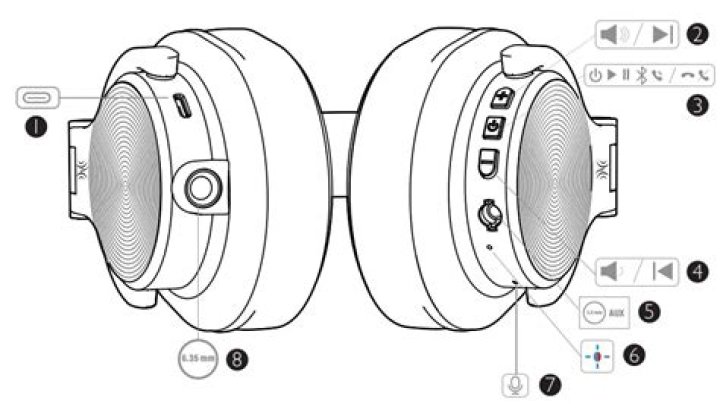
The OneOdio Pro C wireless Headphone supports these Bluetooth protocols: HFP/HSP/A2DP/AVRCP
$ dpkg --status bluez | grep '^Version:'
Version: 5.53-0ubuntu3.4
$ pactl list short | grep -i bluetooth
7 module-bluetooth-policy
8 module-bluetooth-discover
$ dmesg | grep Bluetooth
[ 5.067745] Bluetooth: Core ver 2.22
[ 5.067761] Bluetooth: HCI device and connection manager initialized
[ 5.067764] Bluetooth: HCI socket layer initialized
[ 5.067765] Bluetooth: L2CAP socket layer initialized
[ 5.067768] Bluetooth: SCO socket layer initialized
[ 5.087810] Bluetooth: hci0: Firmware revision 0.0 build 121 week 36 2020
[ 12.806192] Bluetooth: BNEP (Ethernet Emulation) ver 1.3
[ 12.806197] Bluetooth: BNEP filters: protocol multicast
[ 12.806201] Bluetooth: BNEP socket layer initialized
[ 27.876087] Bluetooth: RFCOMM TTY layer initialized
[ 27.876099] Bluetooth: RFCOMM socket layer initialized
[ 27.876106] Bluetooth: RFCOMM ver 1.11
$ systemctl status bluetooth
● bluetooth.service - Bluetooth service Loaded: loaded (/lib/systemd/system/bluetooth.service; enabled; vendor preset: enabled) Active: active (running) since Thu 2021-12-16 13:43:27 +00; 1 day 19h ago Docs: man:bluetoothd(8) Main PID: 1755 (bluetoothd) Status: "Running" Tasks: 1 (limit: 115424) Memory: 8.4M CGroup: / └─1755 /usr/lib/bluetooth/bluetoothd
Dec 18 00:56:52 machine bluetoothd[1755]: Unable to get io data for Headset Voice gateway: getpeername: Transport endpoint is not connected (107)
Dec 18 00:56:57 machine bluetoothd[1755]: 85:62:35:17:5B:A1: error updating services: Host is down (112)
Dec 18 00:56:57 machine bluetoothd[1755]: connect error: Host is down (112)
Dec 18 01:07:54 machine bluetoothd[1755]: Unable to get Headset Voice gateway SDP record: Host is down
Dec 18 01:08:01 machine bluetoothd[1755]: Unable to get Headset Voice gateway SDP record: Host is down
Dec 18 01:08:08 machine bluetoothd[1755]: Unable to get Headset Voice gateway SDP record: Host is down
Dec 18 01:08:27 machine bluetoothd[1755]: Unable to get Headset Voice gateway SDP record: Host is down
Dec 18 02:20:53 machine bluetoothd[1755]: connect error: Connection timed out (110)
Dec 18 02:20:53 machine bluetoothd[1755]: Unable to get io data for Headset Voice gateway: getpeername: Transport endpoint is not connected (107)
Dec 18 02:20:59 machine bluetoothd[1755]: 85:62:35:17:5B:A1: error updating services: Host is down (112)
What can I do to get these two devices to pair and connect?
I tried:
$ bluetoothctl
[bluetooth]# pair 85:62:35:17:5B:A1
Attempting to pair with 85:62:35:17:5B:A1
Failed to pair: org.bluez.Error.AlreadyExists
[bluetooth]# trust 85:62:35:17:5B:A1
Changing 85:62:35:17:5B:A1 trust succeeded
[bluetooth]# connect 85:62:35:17:5B:A1
Failed to connect: org.bluez.Error.Failed
I did try $ pulseaudio -k as advised by this wiki and retried the connect command but still can't connect.
I noticed that this wiki said that pulseaudio-alsa package is needed. I tried and discovered that this package cannot be located. Is my problem caused by no pulseaudio-alsa pkg?
$ sudo apt install pulseaudio-alsa
Reading package lists... Done
Building dependency tree
Reading state information... Done
E: Unable to locate package pulseaudio-alsa
$ dpkg -l | grep pulseaudio
ii gstreamer1.0-pulseaudio:amd64 1.16.2-1ubuntu2.1 amd64 GStreamer plugin for PulseAudio
ii pulseaudio 1:13.99.1-1ubuntu3.13 amd64 PulseAudio sound server
ii pulseaudio-module-bluetooth 1:13.99.1-1ubuntu3.13 amd64 Bluetooth module for PulseAudio sound server
ii pulseaudio-utils 1:13.99.1-1ubuntu3.13 amd64 Command line tools for the PulseAudio sound server

