How to know CPU frequency?
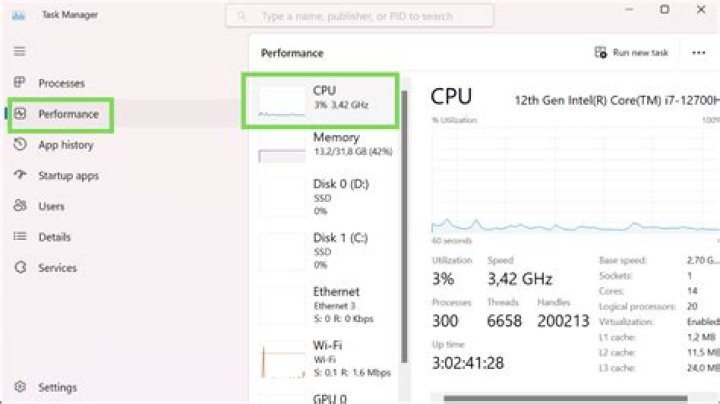
I'm running Ubuntu 16.04. How can I find out what frequency my computer's CPU has? I just need to know the CPU frequency according to the manufacturer and the real CPU frequency I have.
Are there some terminal commands allowing that?
EDIT
There is output from lscpu
CPU MHz: 1400.042
CPU max MHz: 2700.0000
CPU min MHz: 800.0000
but from details i get another
the first output 2.7 and another 1.7 ...
It is because of Turbo boost?
2 Answers
The command lscpu gives you info about your CPU.
To restrict the output to the frequency, use this command:
lscpu | grep MHzThe output looks something like
CPU MHz: 828.140
CPU max MHz: 3600.0000
CPU min MHz: 800.0000
and shows you your CPU's current frequency, its maximum frequency, and its minimum frequency.
You can also click onto "Details" in the system settings. There is an entry called "Processor" which shows you your processor's name. This name probably contains the rated CPU frequency. Example: Intel® Core™ i7-4720HQ CPU @ 2.60GHz × 8
Note that the maximum frequency lscpu can be higher than the rated frequency. This is due to Turbo Boost.
The first answer is a great one. The OP asked for "some" terminal commands. I'll throw in some extras, because every question can have many answers.
This is another way of seeing current frequencies for EVERY CPU:
rick@dell:~$ sudo cat /sys/devices/system/cpu/cpu*/cpufreq/cpuinfo_cur_freq
[sudo] password for rick:
2911523
2978173
2825097
3068554
2888232
2038769
2891894
3134619
────────────────────────────────────────────────────────────────
rick@dell:~$
You can shorten the above output by replacing * with a given CPU number such as 0 for the first CPU or 7 for the last CPU (on an 8 CPU system).
Another way of getting CPU frequencies without sudo powers is:
rick@dell:~$ cat /sys/devices/system/cpu/cpu*/cpufreq/scaling_cur_freq
3174316
3223095
3250781
3214160
3211962
3222802
3237451
3245654
────────────────────────────────────────────────────────────────
rick@dell:~$
These are other commands in regards to Frequencies and the CPU that you might like to try out:
cat /sys/class/thermal/thermal_zone*/temp
cat /sys/devices/system/cpu/intel_pstate/no_turbo
cat /sys/devices/system/cpu/intel_pstate/turbo_pct
cat /sys/devices/system/cpu/intel_pstate/num_pstates
cat /sys/devices/system/cpu/intel_pstate/min_perf_pct
cat /sys/devices/system/cpu/intel_pstate/max_perf_pct
cat /sys/devices/system/cpu/cpu*/cpufreq/cpuinfo_min_freq
cat /sys/devices/system/cpu/cpu*/cpufreq/cpuinfo_max_freq
cat /sys/devices/system/cpu/cpu*/cpufreq/cpuinfo_transition_latency
cat /sys/devices/system/cpu/cpu*/cpufreq/affected_cpus
cat /sys/devices/system/cpu/cpu*/cpufreq/related_cpus
cat /sys/devices/system/cpu/cpu*/cpufreq/scaling_governor
cat /sys/devices/system/cpu/cpu*/cpufreq/scaling_available_governors
cat /sys/devices/system/cpu/cpu*/cpufreq/scaling_min_freq
cat /sys/devices/system/cpu/cpu*/cpufreq/scaling_max_freq
cat /sys/devices/system/cpu/cpu*/cpufreq/scaling_cur_freq
cat /sys/devices/system/cpu/cpu*/cpufreq/scaling_setspeed
cat /sys/devices/system/cpu/cpu*/cpufreq/scaling_driver
Once again you can replace * with a given CPU number to shorten output.


