How to install and use CMIS Workbench
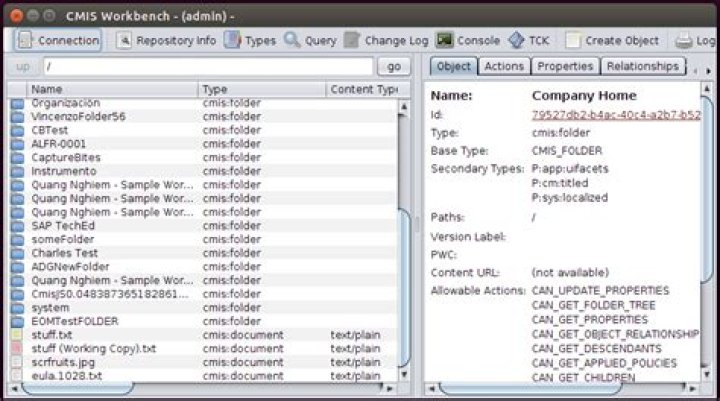
I want to browse my repository (Alfresco, Documentum, SharePoint, FileNet, NemakiWare, etc).
How to do this with Apache CMIS Workbench?
1 Answer
First, install Java if you do not have it yet.
Second, download the latest version of CMIS Workbench. To do that, go to the OpenCMIS Downloads page and find the "OpenCMIS Workbench" line. Click the "Download" link at that line. The download is a ZIP file, so just unzip it and execute the workbench.bat file if you are on Windows, or the workbench.sh if you are on Linux/Mac (change its properties to make it executable if needed). The following window will appear:
Enter the CMIS URL of your repository (if you don't know it, find the pattern of your server or ask your administrator), and your username/password, then click Load Repositories, then Login. Don't forget the URL's https or http prefix and port number. That's it! After a few seconds to a minute, the content of your repository should appear:


