How to install an application software using an ISO file?
I have Delphi 10.1 Berlin ISO file, and I want to install it like any other *.msi files do.
Is it possible to install an application software using disk image installation tools or etc?
I have always been installed OS using ISO files.
01 Answer
An ISO file is a package, basically a package of a CD or other optical disk.
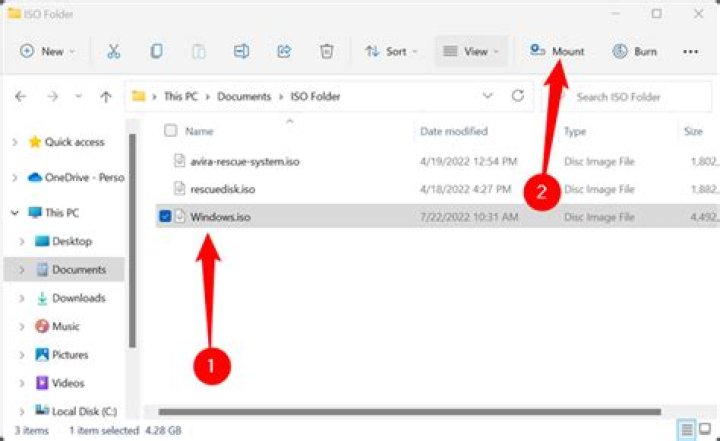
Windows supports mounting ISO files as a virtual CD drive, which you can then interact with like a CD.
In order to mount an ISO file in Windows, just double-click on it. Alternatively you can right-click on the file and select Mount. You'll then be able to open File Explorer and you'll see the ISO mounted as a drive there and will be able to navigate the files stored in it, or run the installer files as you'd do on a CD.
When you have completed installing the file, you right-click on the mounted virtual CD and select Unmount.


