How to install a usb wireless network adapter Ralink RT3072 on Lubuntu 15.04
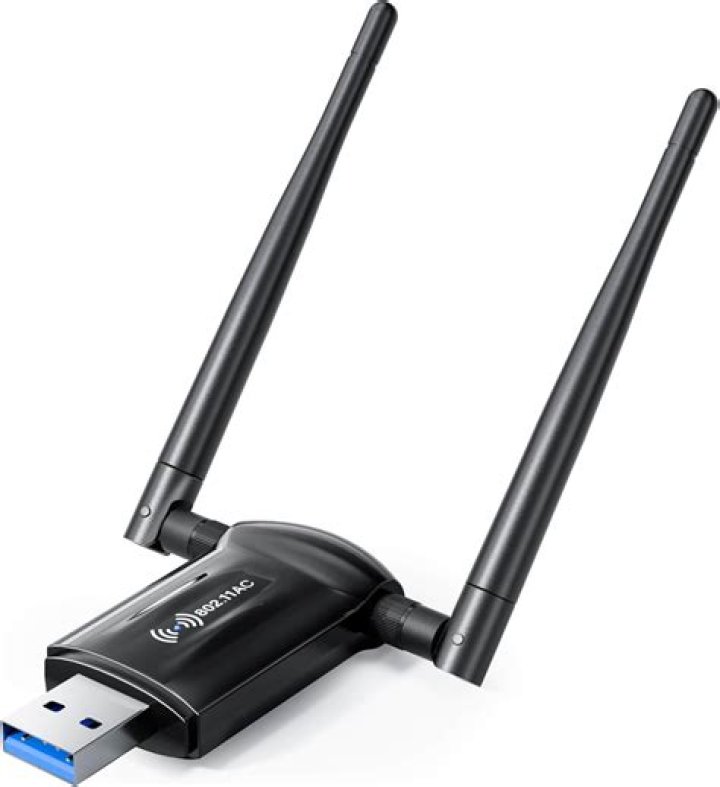
I bought a USB Wireless Network Adapter with Dual 6dBi Antennas & Ralink RT3072 Chipset Integrated. It works great in windows but I am trying to install it on my lubuntu 15.04 machine. The adapter came with a cd with drivers for windows, mac, and linux. A link to a downloadable version of that driver can be downloaded here.
I untarred the file on my desktop and I got two files RT8070_RT3070_RT3370_RT5370_RT5372_ReadMe.txt and 2011_0719_RT3070_RT3370_RT5370_RT5372_Linux_STA_V2.5.0.3_DPO. I have no idea what to do with the second file 2011_0719... If I rename the file to Linux_STA, and open the terminal and cd my way to the desktop, I can:
sudo nano Linux_STAand the file looks like a c file.
I have look at a few posts and most people request the following information:
lsusb I get:
Bus 001 Device 004: ID 148f:3072 Ralink Technology, Corp. RT3072 Wireless Adapteriwconfig gives me:
wlan0 IEEE 802.11bgn ESSID:off/any Mode:Managed Access Point: Not-Associated Tx-Power=20 dBm Retry short limit:7 RTS thr:off Fragment thr:off Power Management:offdmesg gives me a very long message.
dmesg | grep -e rt2 -e rt3 gives me
[ 714.453147] ieee80211 phy0: rt2x00_set_rt: Info - RT chipset 3071, rev 021c detected
[ 714.481648] ieee80211 phy0: rt2x00_set_rf: Info - RF chipset 0008 detected
[ 714.503920] usbcore: registered new interface driver rt2800usb
[ 714.546110] ieee80211 phy0: rt2x00lib_request_firmware: Info - Loading firmware file 'rt2870.bin'
[ 714.562815] ieee80211 phy0: rt2x00lib_request_firmware: Info - Firmware detected - version: 0.29
lsmod | grep -e rt2 -e rt3 gives me:
rt2800usb 28672 0
rt2x00usb 20480 1 rt2800usb
rt2800lib 90112 1 rt2800usb
rt2x00lib 49152 3 rt2x00usb,rt2800lib,rt2800usb
mac80211 626688 3 rt2x00lib,rt2x00usb,rt2800lib
crc_ccitt 16384 1 rt2800lib
cfg80211 462848 2 mac80211,rt2x00lib
From what I have read I think I need to compile the driver. If so How do I do that? and where to I compile it?
Thank you in advance for any and all help!!!!
1 Answer
Generally there are a couple of ways to install devices, that I am aware of, in Linux environments:
By Repository
"sudo apt-get install ..." does this, but is generally only aware of the default Ubuntu repositories (like P2P, there's a bunch of locally maintained repos out there with code). You can also add custom repositories and run and apt-get install or update to fetch "custom" packages. Some devices have repositories for their drivers. For example, for the D-Link DWA-131 adapter (How to install a wireless adapter D-Link DWA-131?)
$ sudo add-apt-repository ppa:hanipouspilot/rtlwifi
$ sudo apt-get update --> makes your apt aware of the packages in the new repo
$ sudo apt-get install rtl8192eu-dkms
By Source/Files
- You have a source of some kind, such as your example directory. In there you will either find some sort of ... .sh install script, OR you'll need to compile and run some sort of C/C++ make and install commands. WHY - you're compiling/making the code to run the device on YOUR specific device; if you're doing this there won't be a pre-built install script or command. HOW - (1) ./configure OR make, (2) make install (from inside the scripts directory you were in).
A couple important notes though:
- Your adapter must be an Ubunut/Linux supported adapter. You can check and in the docs/online for supported adapter lists.
- If you're running make-install commands, you're Ubuntu must have a gcc/g++ compiler installed and the executables (e.g., gcc) available on the exectuable path. apt-get update and apt-get upgrade will probably include this, but you can also run sudo apt-get install g++ O=(or gcc).
Hope that helps!


