How to have enhanced steering buttons with SAS in Kerbal Space program?
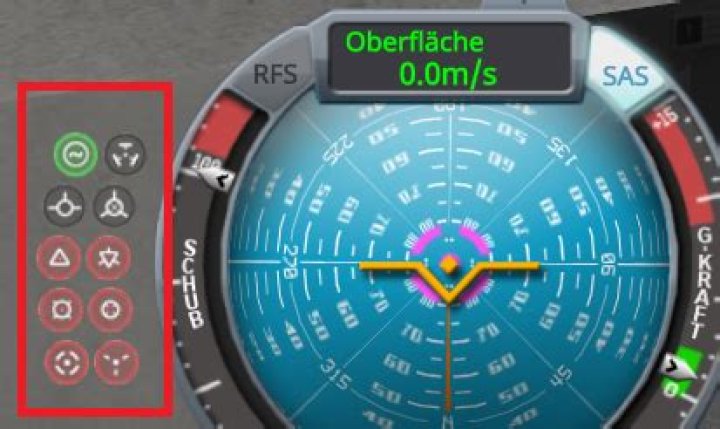
What are the prerequesites or what to do to get the navigation options shown in the following screen. In my case I see only the green electrical button.
3 Answers
Pilot experience. One star unlocks Prograde/Retrograde vectors, two stars unlocks Normal/Antinormal and Radial In/Out vectors, three stars unlocks the Maneuver Node and Target/Anti-target vectors. It's not obvious unless you really RTFM - some features unlock with KSC building upgrades instead of kerbonaut experience.
If you're comfortable with bouncing around Kerbin's sphere of influence, entering orbits of both Mun and Minmus and returning gives a pilot two stars. This may entail multiple slingshots through Mun's SoI making an utter mess of your orbit, followed by multiple hair- and temperature-raising aerobraking passes through Kerbin's upper atmosphere.
1Obviously it has to do with the experience of the kerbals. A one star kerbal pilot has more navigation skills and then this buttons appears.
How many buttons you can see depends on the experience of your kerbals and/or probe core quality. Different probe cores have different amounts of autonomy and therefore more buttons, and kerbals level up by going places they have never been before(low orbit, high orbit, other planets). In sandbox mode, all kerbals have all five stars of skill.
0

