How to get device name from scan like nmap on Linux
I know that I can use a tool like NMAP or arp-scan on Linux to identify the IP and MAC addresses of all devices on my local network. I also know that arp-scan will do a MAC address lookup to get the device manufacturer. But is there any set of options on these commands (or any other command) that can tell me the actual device name of the device at a give IP? For example, if "Joe's iPad" is on 192.168.1.113 I want a command to get that name.
32 Answers
Nmap
Some hosts could simply be configured to not share that information. It should work just like this:
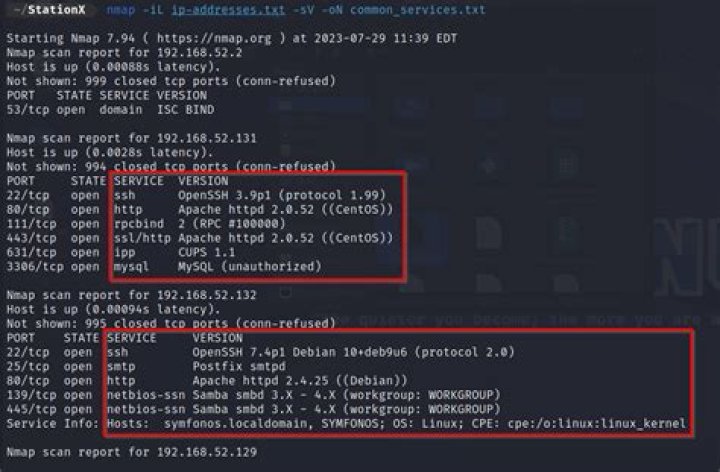
user@host:~$ nmap 192.168.1.113
Starting Nmap 7.00 ( ) at 2015-12-11 08:45 AWST
Nmap scan report for Joes iPad (192.168.1.113)Host is up (0.0038s latency).
Not shown: 999 closed ports
PORT STATE SERVICE
62078/tcp open iphone-sync
Nmap done: 1 IP address (1 host up) scanned in 41.88 seconds
You can force Nmap to attempt reverse DNS resolution for all targets, by using the following option:
-R (DNS resolution for all targets). Tells Nmap to always do reverse DNS resolution on the target IP addresses. Normally reverse DNS is only performed against responsive (online) hosts.This might help in some cases. The output will look more or less identical:
user@host:~$ nmap -R 192.168.1.113
Starting Nmap 7.00 ( ) at 2015-12-11 08:46 AWST
Nmap scan report for joes-ipad.local (192.168.1.113)Host is up (0.0047s latency).rDNS record for 192.168.1.113: joes-ipad.localNot shown: 999 closed ports
PORT STATE SERVICE
62078/tcp open iphone-sync
Nmap done: 1 IP address (1 host up) scanned in 42.61 seconds
Either way; you can always parse the output through external tools, such as grep. This can be particularly useful if you're scanning several addresses, or even whole network ranges at a time:
user@host:~$ nmap 192.168.1.0/24 | grep '(192.168.1.113)'
Nmap scan report for Joes iPad (192.168.1.113)All 1000 scanned ports on Joes iPad (192.168.1.113) are closed
user@host:~$ nmap -R 192.168.1.0/24 | grep '(192.168.1.113)'
Nmap scan report for Joes iPad (192.168.1.113)All 1000 scanned ports on Joes iPad (192.168.1.133) are closedNet-Tools
What you (probably) actually want to do, is this:
*Output will vary, based on OS & software version.
user@gnu:~$ arp 192.168.1.113
Address HWtype HWaddress Flags Mask IfaceJoes iPad ether a1:b2:c3:d4:e5:f6 C wlan0
user@bsd:~$ arp 192.168.1.113Joes iPad (192.168.1.113) at a1:b2:c3:d4:e5:f6 on en0 ifscope [ethernet]Take a look at nmblookup and/or smbutil lookup commands.


