How to easily remove old kernels in Ubuntu 20.04 LTS?
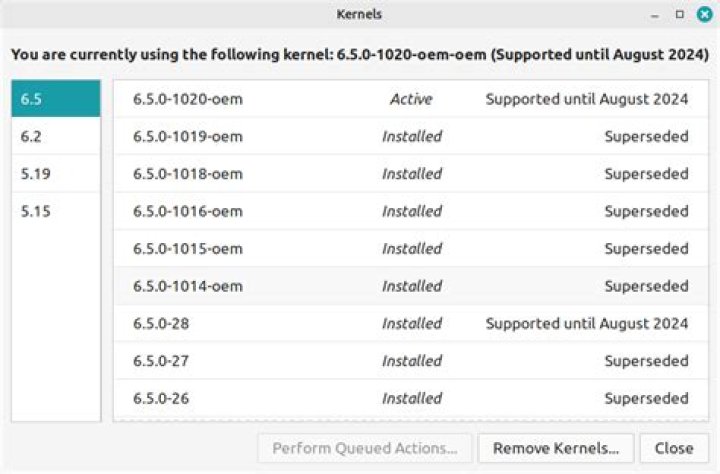
I have old Linux kernel versions that I don't use so I was trying to remove them.
List of installed kernels from dpkg --list | grep linux-image
linux-image-5.4.0-26-generic (5.4.0-26.30)
linux-image-5.4.0-33-generic (5.4.0-33.37)
linux-image-5.4.0-37-generic (5.4.0-37.41)
7 Answers
Here are the steps to remove unused kernels.
Check what current kernel You run:
uname -a
Linux blackhole 5.6.13-050613-lowlatency #202005141310 SMP PREEMPT Thu May 14 13:17:41 UTC 2020 x86_64 x86_64 x86_64 GNU/Linux
I am running 5.6.13-050613-lowlatency
List all installed kernels in Your OS:
dpkg --list | egrep -i --color 'linux-image|linux-headers|linux-modules' | awk '{ print $2 }'
linux-headers-5.6.11-050611
linux-headers-5.6.11-050611-lowlatency
linux-headers-5.6.13-050613
linux-headers-5.6.13-050613-lowlatency
linux-image-unsigned-5.6.11-050611-lowlatency
linux-image-unsigned-5.6.13-050613-lowlatency
linux-modules-5.6.11-050611-lowlatency
linux-modules-5.6.13-050613-lowlatency
Uninstall kernels You don't need:
sudo apt purge linux-headers-5.6.11-050611 linux-headers-5.6.11-050611-lowlatency linux-image-unsigned-5.6.11-050611-lowlatency linux-modules-5.6.11-050611-lowlatencyYou can try out this script
remove_old_kernels.sh
#!/bin/bash
# Run this script without any param for a dry run
# Run the script with root and with exec param for removing old kernels after checking
# the list printed in the dry run
uname -a
IN_USE=$(uname -a | awk '{ print $3 }')
echo "Your in use kernel is $IN_USE"
OLD_KERNELS=$( dpkg --list | grep -v "$IN_USE" | grep -Ei 'linux-image|linux-headers|linux-modules' | awk '{ print $2 }'
)
echo "Old Kernels to be removed:"
echo "$OLD_KERNELS"
if [ "$1" == "exec" ]; then for PACKAGE in $OLD_KERNELS; do yes | apt purge "$PACKAGE" done
fi
Run it like this for a dry run:
remove_old_kernels.shIf all looks good, run it again like this:
sudo remove_old_kernels.sh execJust use this:
sudo apt-get autoremove --purgeTo easily remove older versions kernels, e.g. kernels starting from 4.0 and so on.
sudo apt-get purge linux-image-4.*autoremove will only remove packages that are automatically installed. If you ever updated or added a kernel package manually autoremove will not remove it. If you ever "held" a kernel version autoremove will not remove it. If you're wondering why Ubuntu is filling up your boot partition with kernels you no longer use it's likely one of these two reasons.
# Unhold all packages
dpkg --get-selections | grep hold | awk '{ print $1, "install" }' | dpkg --set-selections
# Mark all "manually installed" kernel packages as "automatically installed"
for f in $(apt-mark showmanual | grep linux-); do apt-mark auto $f
done
# Remove all packages that are no longer needed
apt-get -y autoremove --purge
An update to @alex Burdusel's script would be the following:
#!/bin/bash
# Run this script without any param for a dry run
# Run the script with root and with exec param for removing old kernels after checking
# the list printed in the dry run
uname -a
IN_USE=$(uname -a | awk '{ print $3 }')
echo "Your in use kernel is $IN_USE"
OLD_KERNELS=$( dpkg --list | grep -v "linux-headers-generic" | grep -v "linux-image-generic" | grep -v "linux-image-generic" | grep -v "${IN_USE%%-generic}" | grep -Ei 'linux-image|linux-headers|linux-modules' | awk '{ print $2 }'
)
echo "Old Kernels to be removed:"
echo "$OLD_KERNELS"
if [ "$1" == "exec" ]; then for PACKAGE in $OLD_KERNELS; do yes | apt purge "$PACKAGE" done
fi
This solves the issue that it tries to delete the following packages:
linux-headers-generic
linux-image-generic
linux-headers-5.17.5-76051705 # if 5.17.5-76051705-generic is the current kernel
Not one of these worked for me.
Had to use:
sudo dpkg --purge linux.modules-extra-5.4.0-84.94

