How to do a full length vertical split in tmux
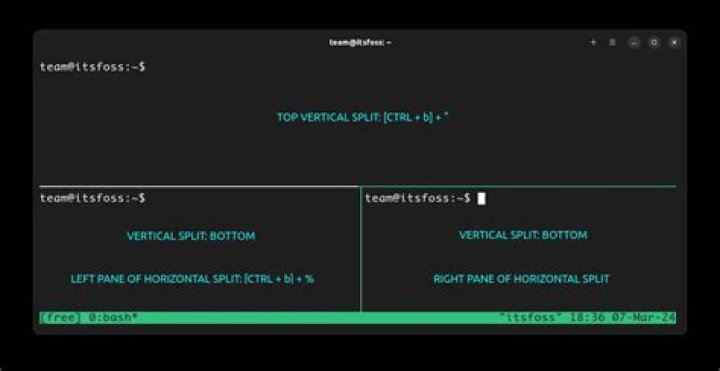
I usually have two horizontal panes as such:
+–––––––––+–––––––––+
| |
| |
| |
+–––––––––+–––––––––+
| |
| |
| |
+–––––––––––––––––––+
But would like to do a full-horizontal split like this:
+–––––––––+–––––––––+
| | |
| | |
| | |
+–––––––––| |
| | |
| | |
| | |
+–––––––––––––––––––+
Whenever I do a split, it turns out like this:
+–––––––––+–––––––––+
| | |
| | |
| | |
+–––––––––+–––––––––+
| |
| |
| |
+–––––––––––––––––––+
So, I was wondering if there was a command that would do a full length vertical split. Thanks!
Edit: I forgot to mention that I wanted to only use one command to go from the first image to the second image.
12 Answers
From the manual [emphasis mine]:
split-window [-bdfhIvPZ] [-c start-directory] [-e environment] [-l size] [-t target-pane] [shell-command] [-F format](alias:
splitw)Create a new pane by splitting target-pane:
-hdoes a horizontal split and-va vertical split; if neither is specified,-vis assumed. […] The-boption causes the new pane to be created to the left of or above target-pane. The-foption creates a new pane spanning the full window height (with-h) or full window width (with-v), instead of splitting the active pane. […]
The tmux command you need is split-window -hf. You can bind it to a key like any other tmux command (e.g. bind-key -T prefix ^ split-window -hf in ~/.tmux.conf; remember the file is read when you (re)start the tmux server or explicitly reload the file (prefix:source ~/.tmux.confEnter)).
In a shell the command will be this:
tmux split-window -hfYou could do the following:
ctrl + b + % to make a vertical split.
ctrl + b + " to make a Horizontal split.
ctrl + b + left arrow to move to the left pane.
ctrl + b + " to make a Horizontal split.
and so you would have the four panels.
1

