How to configure pxelinux.cfg/default properly in order to install Ubuntu from network?
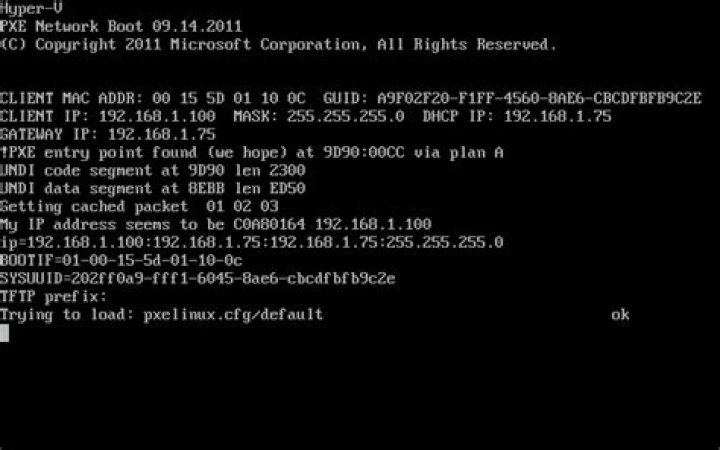
I'm trying to set up PXE in order to install Ubuntu 13.10 Server x64 through local network. So far, I can boot through PXE and, when using provided by default, be able to install Ubuntu by downloading it from a mirror.
I want to be able to install Ubuntu from NFS. I edited like this:
1 # D-I config version 2.0
2 default ubuntu-installer/amd64/boot-screens/vesamenu.c32
3 menu title Ubuntu setup
4 label ubuntu-13.10-server-amd64
5 menu label ubuntu-13.10-server-amd64
6 kernel 3.11.0.18-generic
7 append netboot=nfs initrd=install/initrd.gz nfsroot=192.168.1.75:/↵ exports/ubuntu-13.10-server-amd64 ip=dhcp rw- 192.168.1.75 is the IP of the server I use for DHCP, DNS and NFS,
- I got the kernel
3.11.0.18-genericby runninguname -r, showmount -e 192.168.1.75gives:Export list for 192.168.1.75:
/exports/ubuntu-13.10-server-amd64 192.168.1.0/24The directory contains the contents of the original ubuntu-13.10-server-amd64 image.
When booting from PXE, I get the original screen (see screenshots below), then another one. Pressing Tab shows the command:
3.11.0.18-generic netboot=nfs initrd=install/initrd.gz nfsroot=192.168.1.↵75:/exports/ubuntu-13.10-server-amd64 ip=dhcp rw
Pressing Enter does nothing.
I imagine there is something wrong with my changes of .
What's wrong with it?
Is there a comprehensive documentation of the options to set?
Are there logs which can help understanding what is wrong?
2 Answers
It sounds like your kernel and init are not loading (hence the hang). Are you sure your paths are correct? Also, check your filenames -- I'm not sure where you got 3.11.0.18-generic, my 14.04 server DVD netboot kernel is a file called "linux".
This line:
6 kernel 3.11.0.18-genericImplies that a file called 3.11.0.18-generic exists in the root of your TFTP server, e.g. something like \tftpboot\3.11.0.18-generic or \var\lib\tftp\3.11.0.18-generic. Let's call this TFTPROOT. Similarly for install/initrd.gz - is there a file TFTPROOT/install/initrd.gz?
Your path on line 2 (default ubuntu-installer/amd64/boot-screens/vesamenu.c32) implies that you've copied the contents of DVDISO/install/netboot into your TFTP server root. E.g. you've likely got a folder called TFTPROOT/ubuntu-installer. However, the proper kernel and init file for netboot are(for me) contained in DVDISO/install/netboot/ubuntu-installer/amd64. So your paths should be kernel ubuntu-installer/amd64/linux and append initrd=ubuntu-installer/amd64/initrd.gz ...
I had that problem, and could hit enter after changing file permission for kernel and inird.
Try with setting chmod 777 3.11.0.18-generic


