How to compile ffmpeg with https support
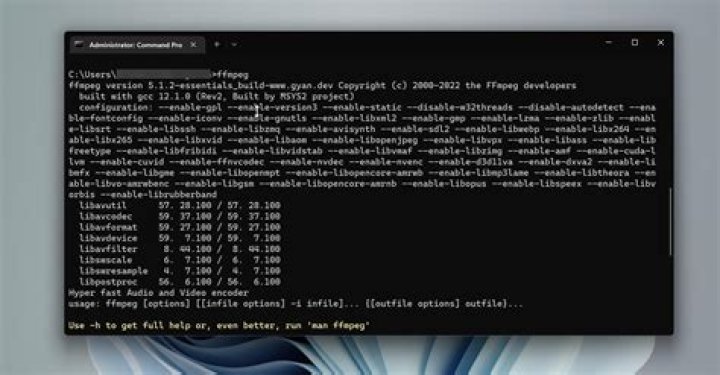
I have installed both openssl and openssl-dev, with these:
sudo apt-get install openssl
sudo apt-get install libssl-dev
And has install ffmpeg by these:
sudo add-apt-repository ppa:mc3man/trusty-media
sudo apt-get install ffmpeg
Now I would like to enable https protocol for ffmpeg. I did try these:
user@user-VirtualBox:~/ffmpeg_sources/ffmpeg$ ./configure --enable-opensslAnd its listed in the Enabled protocols list.
After that ran these commands:
make
make install
But with no help. And if check the ffmpeg -protocols, the https protocols is not listed there.
I am using ubuntu inside a virtualbox, and I not very good at it. If you could please guide me through how to compile openssl with ffmpeg to enable https protocol I would be very thank grateful. Thank you.
2 Answers
Add --enable-openssl, This is what I use. Make sure the library is inatalled, debian: sudo apt install libssl-dev, or redhat: yum install -y openssl-devel
PATH="$HOME/bin:$PATH" PKG_CONFIG_PATH="$HOME/ffmpeg_build/lib/pkgconfig" ./configure \ --prefix="$HOME/ffmpeg_build" \ --pkg-config-flags="--static" \ --extra-cflags="-I$HOME/ffmpeg_build/include" \ --extra-ldflags="-L$HOME/ffmpeg_build/lib" \ --bindir="$HOME/bin" \ --enable-gpl \ --enable-libass \ --enable-libfdk-aac \ --enable-libfreetype \ --enable-libmp3lame \ --enable-libopus \ --enable-libtheora \ --enable-libvorbis \ --enable-libvpx \ --enable-libx264 \ --enable-libx265 \ --enable-openssl \ --enable-nonfree
PATH="$HOME/bin:$PATH" make
make install
hash -r
TL;DR
./configure --enable-gnutlsOpen a terminal and follow the commands below:
For Trusty you need a PPA, recommended on the ffmpeg download page
sudo add-apt-repository ppa:mc3man/trusty-media
sudo apt-get update
After that
cd
apt-get source ffmpeg
sudo apt-get build-dep ffmpeg
Replace 2.5.7 with your version:
cd ffmpeg-2.5.7
./configure --enable-gnutls
dpkg-buildpackage -rfakeroot -uc -b
After that, install the package in the parent folder (cd ..).


