How to avoid Zoom from going full screen?
These days we have to use Zoom meeting from time to time for work. Zoom has the annoying habit of going full screen when someone shares their screen. Apparently on other operating systems it is possible to change this behaviour in the preferences, but I can't find any Preferences for Zoom on Ubuntu (18.04).
Is there a way to find these Preferences? Or is there a way to block Zoom doing this from the Ubuntu side?
1 Answer
As far as I know, both in Linux and Windows Zoom versions, in order to set preferences, you have to join a meeting first. However, the preferences you set remain in effect for subsequent meetings as well.
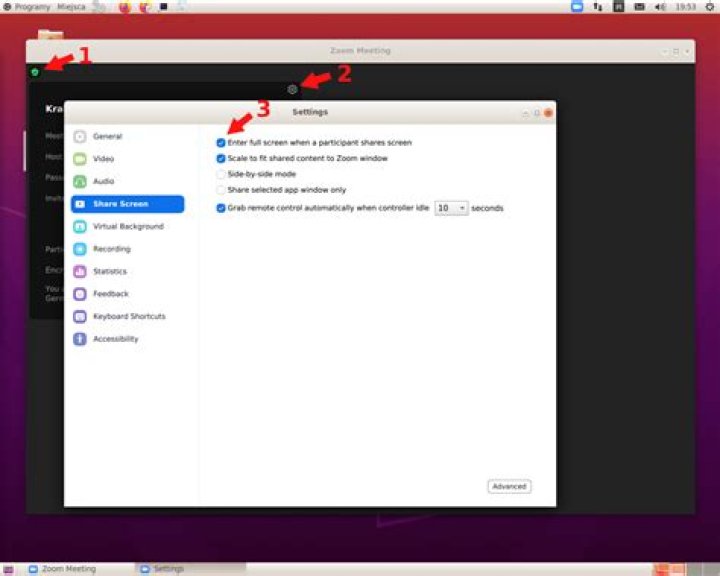
After you join the meeting, press the "shield" icon in top-left corner to display the connection information (number 1 on the enclosed picture), then press the gear icon to get to the Settings window (2). Select "Share screen" in the Settings window and there you have a setting called "Enter full screen when a participant shares screen" (3).


