How long does TRIM take on NVMe SSD / Difference between TRIM applications & Optimize drives
I have set TRIM to be done weekly using the program that is used for WD BLACK SSDs:
This schedule should be fine since I don't really write that often to the drive, and I read that some I/O or OS operations will still write so it should be a good idea.
I'm also wondering if the TRIM operation takes a long time, I can't see it in the background but I'm assuming it takes less than half an hour to complete the operation?
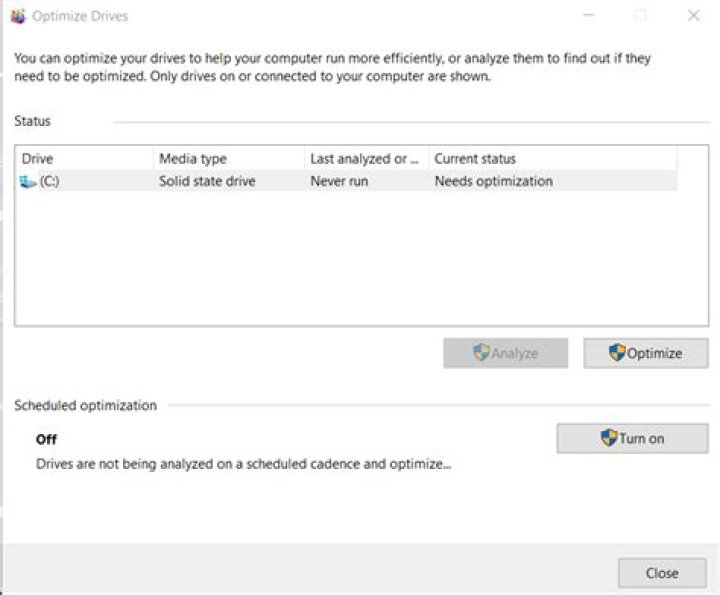
I've also seen other posts that show people using "TRIM" by utilizing the optimize and defrag tool, but I believe all it does is defrag, not TRIM on SSD.
To confirm the WD application I'm using to use TRIM is all I need and the optimize tool just defrags the SSD and not TRIM?
12 Answers
Admin tools, Defragment and Optimize will Optimize your SSD drive and do a TRIM at the same time.
Windows will NOT defrag an SSD drive and you should not try to do that either. The Windows App will do the correct thing.
You only need the Optimize app and that does TRIM.
Time:
Laptop: 1 TB NVMe SSD drive: Trim is well under 10 minutes, although I have never stopped to measure.
Desktop: 2 x 2 TB SATA SSD drives: Trim is also under 10 minutes for each drive.
TRIM is very fast and should be scheduled to run at least monthly.
No harm or outcome running TRIM this way.
2The TRIM operation will finish almost immediately. It is simply the process of your operating system notifying the drive controller of what space is "free" to be recycled back into the empty blocks pool to be erased.
How long is takes for the blocks to be erased is almost impossible to know because it depends entirely on the controller, how many blocks were freed, and how heavily the drive is in use. The operating system may also submit TRIM commands as files are deleted, and just use the main "Optimise" to catch everything else so there may or may not be a lot to actually erase in the first place.
The controller will try to use idle time to erase blocks, "idle" is a vague classification but sol long as you are not constantly reading or writing at the full drive speed then chances are the relevant blocks will most likely be erased within at least a few minutes to a few hours.
The Windows built-in Disk "Optimise Drives" tool does indeed issue TRIM commands. If it were defragmenting the drive, something which is entirely pointless on an SSD, then it would say "defragment" instead of "optimise".
2

