How do I open Internet Options Dialog in Windows 10
Due to company automatic policies —I guess—, the internet options get reset every now and then. Due to client requirements —VPN at all times—, I cannot work with the company-wide settings. So I need to open quite often the Internet Options dialog to change the Internet Settings.
It happens to my colleagues too. I have an easier way since in Windows 7 the dialog comes up from the control panel directly. But the new Control panel in Windows 10 is much more friendly... and does not let you go directly to such low level functions. So far I could help them by opening the dialog from the options menu inside Internet Explorer, even if it gives me jitters to open IE.
How do I open the Internet Dialog in Windows 10?
21 Answer
It so appears that the Internet Options dialog is not "inside" Internet Explorer, it is still part of the Operating System in Windows-10.
You can open it:
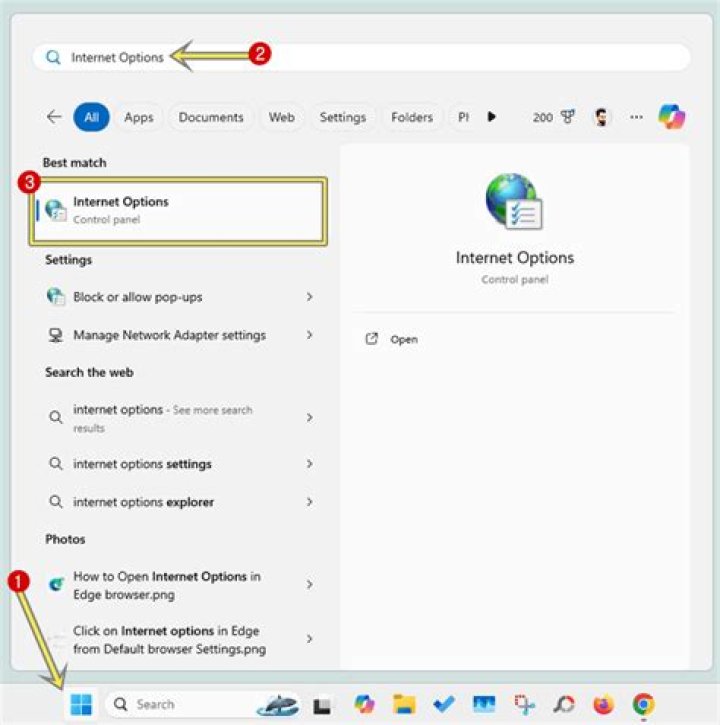
- by typing "internet options" in the Start menu search bar or
- in the Settings (control panel) search box too
- alternatively, if you are a techie, you can type "inetcpl.cpl" in the run box (the one you open with Win+R)
- by right-clicking the connection icon in the system tray, you can bring up the "Network and Sharing Center"; with that one open, you can see in the "related resources" (lower left corner) the Internet Options link that will also bring up the Internet Options dialog.
Credits: isumsoft and top-password


