How do I get rid of this Anthy toolbar?
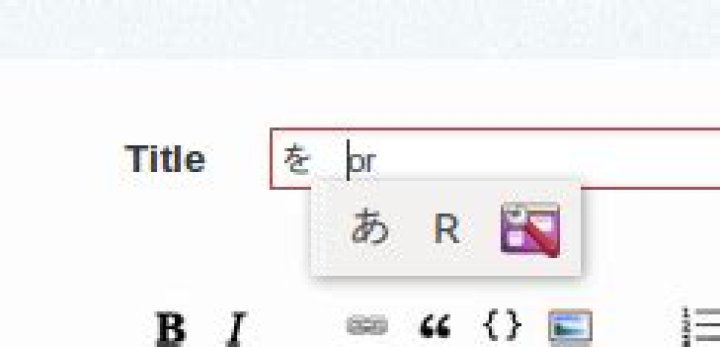
I toggle between writing in Japanese and English on my computer, usitng Anthy and iBus. I just recently installed Ubuntu 14.04 on two computers, and set up my language input options the same as I have for years, and for the most part it works fine and I have all the functionality I wan
The only problem is that on one of the computers, my laptop, whenever I switch to Anthy to input Japanese, this floating toolbar pops up just under where I'm typing'
I can' find any option for getting rid of this thing. It doesn't show up on my desktop computer, so I know it doesn't have to be there for Anthy to work.
How do I get rid of this toolbar?
3 Answers
Go to Setup - IBus-Anthy either via the third button on the bar you want to get rid of, or via Dash > Text Entry > [single click] Japanese Anthy > [click on settings bottom right].
You can choose what parts of the menu should display next to your cursor, when Anthy is active, in the settings's General tab under Menu visibility on Status Icon. Uncheck all boxes (in your case Input mode, Dictionary mode, Preferences - Anthy) and the menu should disappear.
If you go to System Settings -> Text Entry and select Anthy, you can click the toolkit icon to reach the Anthy Setup dialog. Possibly (I don't really know) it includes a way to disable it.
The currently accepted answer (Earthliŋ's) is not correct - or at least not accurate anymore in 2017.
Whether or not the popup (misleadingly called the "property panel" by IBus) appears is not controlled by IBus-Anthy but IBus itself. The Menu visibility on Status Icon checkboxes in IBus-Anthy only controls what appears on the popup. Unchecking them all creates a zero-width popup, that seems to have the unfortunate side effect of breaking keyboard input conversion (e.g., zenkaku/henkaku) altogether.
The actual solution to OP's problem is simply to open IBus Preferences (right-click on the IBus task bar panel icon), and at Show property panel: to select the Do not show dropdown option.


