How do I find the location of a shortcut's icon in Windows 10?
I have a shortcut on my desktop who's icon I want to use on another shortcut. I see how to set the icon (from properties). However, I don't know the location of the icon. How can I figure out where the icon is located that I want to use?
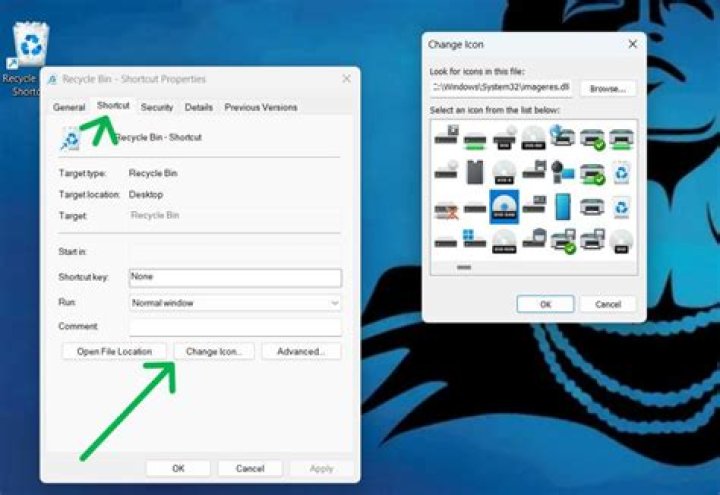
Here is a screenshot of the properties for the shortcut (Web URL). You can see that if I click the "change icon" button it lists all of the standard available icons but does not point to the icon in the properties windows (Red "A" with black background.)
3 Answers
The information is stored in .url file, which is just a simple text file, in the line "IconFile".
I tried opening an .url file in notepad, but it downloaded the corresponding website instead. So I went via the command line:
- Open a "Command Prompt" by typing "cmd" in the start search and selecting "Command Prompt"
- Navigate to the location of your .lnk or .url file
- Links that are visible on all users' desktops are stored in "C:\Users\Public\Desktop"
- Use "type example.url" to show the content of the file.
For example you would find the icon of this .url file in:
C:\Nodejs\nodejs.icoSample .url content:
[{000214A0-0000-0000-C000-000000000046}]
Prop3=19,2
[InternetShortcut]
IDList=
IconIndex=0
URL=
IconFile=C:\Nodejs\nodejs.icoRight click on the desktop shortcut and click Properties, Shortcut tab and Target. That is where the shortcut points to.
For a menu item, right click on the menu item, More, Open File location and that is another route to shortcut.
You can also find the major Windows 10 icons in c:\windows\system32\shell32.DLL
1Use the Change Icon... Button and then the Look for Icons in this File: Edit Box. Using the Browse... Button, you can locate the File that contains the Icons that you want to set.
For Web-Sites, you can use the Change Icon... Button and the Browse... Button as well.


