How can I use “Ctrl + Shift + V” to paste plain, non-formatted text, into a Word document?
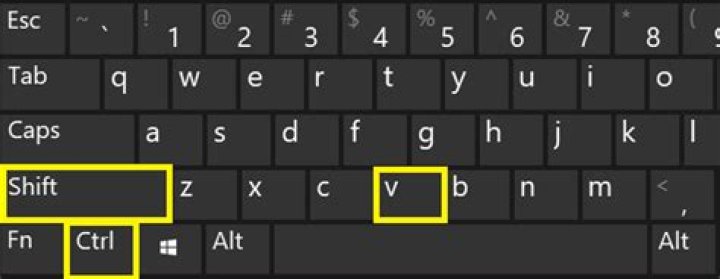
In Chrome, I can paste text without any formatting using ctrl+shift+V. How can I do something like this in in Microsoft Word?
12 Answers
Here are the steps:
- From the View tab, click on Macros -> View Macros
- In the Macros dialog, enter
PasteSpecialin the macro name field and click Create. - Replace the contents of the code editor with the following code:
Sub PasteSpecial()
On Error GoTo errHandler Selection.PasteSpecial DataType:=wdPasteText Exit Sub
errHandler: Selection.Paste
End Sub- Save and close the code editor
- Go to File tab -> Options -> Customize Ribbon, click on the Customize... button after "keyboard shortcuts:"
- Choose
Macroin the Categories box and choosePasteSpecialin the Macros box. InPress new shortcut keybox, enter ctrl+shift+V, then click Assign. - Click OK to close the Word Options dialog.
"Paste as plain text" – Universal macro which works with any application
This is AutoHotKey macro which will paste clipboard content as non-formatted text in any application which by default works with formatted text (Word, Excel, PowerPoint, Outlook, Write, you name it.)
Keyboard shortcut: Ctrl + Win + V
^#v:: ;work with clipboard: paste clipboard content as plain text ClipboardOld := ClipboardAll ;save original clipboard contents Clipboard = %Clipboard% ;store plain text from clipboard to clipboard Send ^v ;send the Ctrl+V command Sleep, 250 ;give some time to finish paste (before restoring clipboard) Clipboard := ClipboardOld ;restore the original clipboard contents ClipboardOld = ;clear temporary variable (potentially contains large data) Return

