How can I sniff all my router traffic with Wireshark?
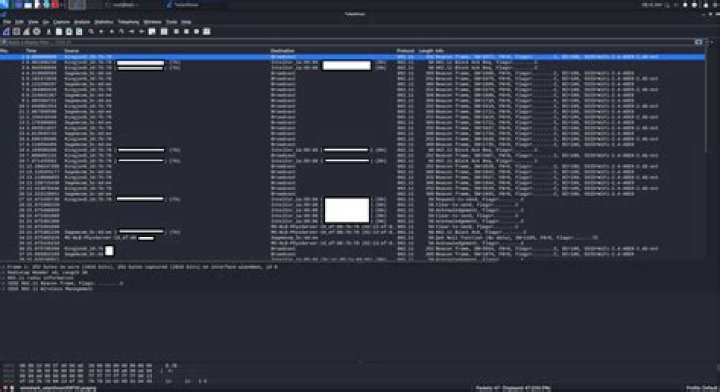
I recently bought a WiFi adapter with Monitor mode (Alfa Network AWUS036NHA) and I want to sniff all my network traffic at my home.
The goal is to detect some packets sent and received by my 'physical' virtual assistant, Alexa (Amazon Echo Dot), on my computer (wired) with Wireshark. Basically I want to be able to see on real time when my virtual assistant communicate with Amazon Cloud servers.
I think this is not possible on Windows so I already tested it on Kali but I can only see connected devices and strange communications on my network (wlan0mon with monitor mode activated) as you can see below :
Also, it seems a little bit strange but I think the first time I put on the WiFi adapter on my Kali VM it worked! I'm pretty sure that I was able to see amzn packets with the MAC address of my virtual assistant.
I hope that I've been clear, anyone have an idea? Feel free to ask questions!
01 Answer
This isn’t really a problem of Windows or Linux. With WPA2 Wi-Fi security, each device negotiates its own encryption key with the Wi-Fi base station. Of course, if you know the network password and observe the handshake, you can probably easily decrypt it.
Not really worth the effort, because you can simply become the router yourself with a few changes:
- Set static IP config on your PC
- Enable routing on your PC (easier on Linux)
- Become the DHCP server (disable on actual router, install one on your PC), advertise your PC as the router
Easier still: Your router may support packet capture by itself. You would not be able to see live traffic this way of course.
Yet another way is to tamper with DNS responses and redirect select traffic only, but you have to know which DNS names to redirect.
Echo devices probably implement somewhat reasonable security and use encrypted connections. You will not be able to see what your Echo device sends or receives, just that it does and how much.
3

