How can I monitor video memory usage?
How can I monitor video memory usage?
57 Answers
GPU load monitoring is not a built-in feature in Windows, but there are third-party tools to do the job.
GPU-Z is a graphics card information tool that supports a number of monitoring options for graphics cards such as clock speeds, fan speed, memory load, GPU load and Video Engine load.
I believe it supports both ATI (AMD) and nVidia graphics cards.
This is a screen shot of my system while playing a h.264 video.
If you use an ATI or NVIDIA card, you should check out GPU-Z.
Main Features:
- Support NVIDIA and ATI cards
- Displays adapter, GPU and display information
- Displays overclock, default clocks and 3D clocks (if available)
- Validation of results
- No installation required
- Support for Windows 2000 / XP / Vista / Windows 7 (both 32 and 64 bit versions are supported)
The Windows 10 task manager now has some nice GPU stats, including memory, although you can not quite see it in this image.
I've also used Process Explorer to measure GPU, although the latest Windows 10 updates seem to have broken that ability.
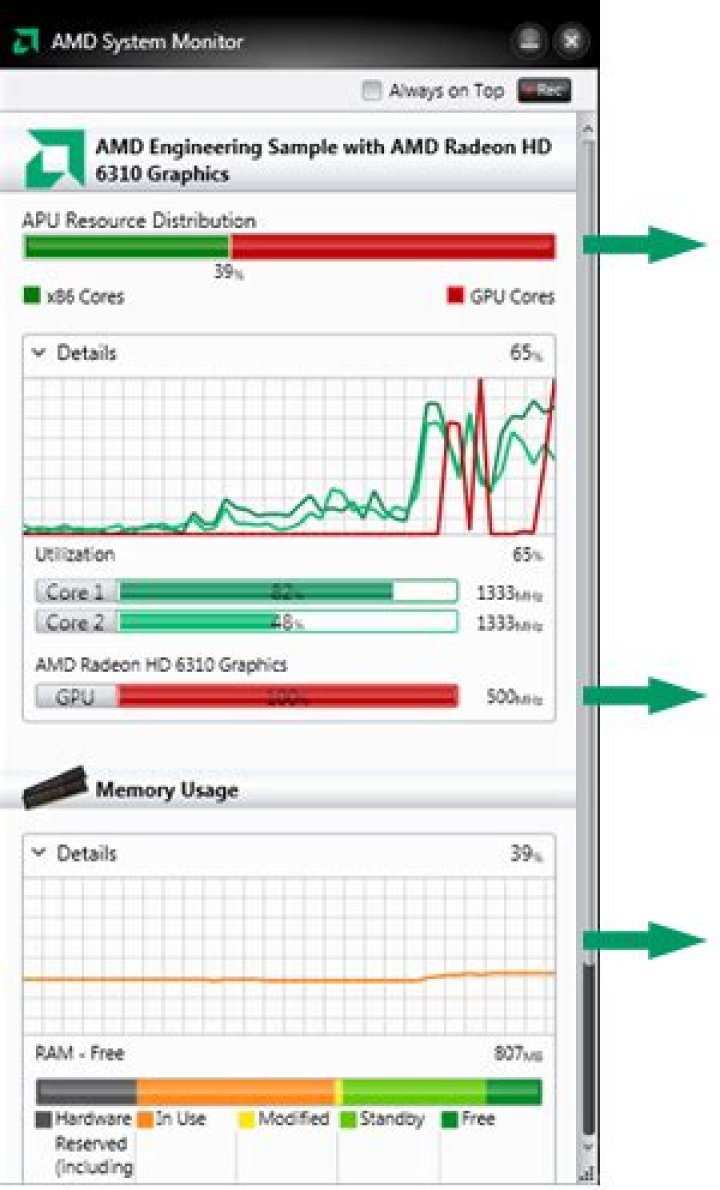
AMD System Monitor is pretty good. It gives you % CPU and GPU utilization.
You can monitor NVidia GPUs with RivaTuner
MSI Afterburner (a tool similar to RivaTuner) can show this in real-time on a graph, among other things. Note that it does not require a MSI card.
All for one: You could use
But it will not give you the "Number" of used Memory, but in percent! Also a lot of more, usefull infos ;)
EDIT: Ignore the Answer! OHM supports Memory Usage and not only this... You will get the Usage in Percent. The Memory Usage in Size is little bit tricky, but possible! I would give you the code, when needed!
EDIT #2: has implemented the Memory Usage in Numbers for Nvidia GPUs
0

