How can I download an HTML webpage including JavaScript-generated content from the terminal?
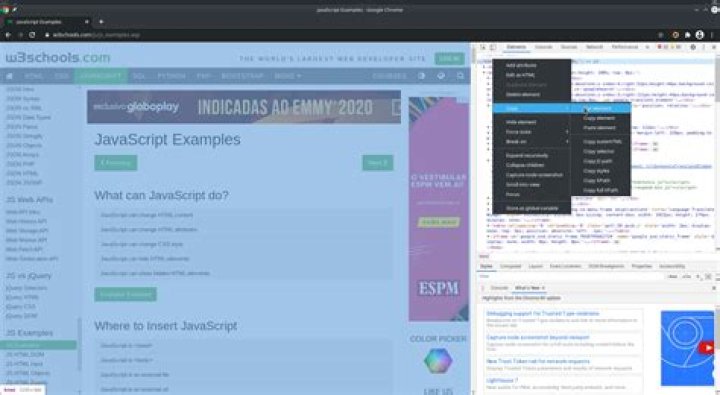
On Google Chrome, when we go to the development mode, right-click an HTML element → Copy → Copy element, we can copy the HTML content of a webpage. Below is an example of the procedure I've described:
My problem is that, when I use wget for downloading the webpage, I get the source code of the page, including its JavaScript addresses and scripts.
I'd like to use the command line for downloading the final HTML result of a page, just like Google Chrome does in my example. Getting the HTML content that is being displayed on the page would be useful for automating the extraction of information from webpages for me.
Is it possible to download the HTML of a page (not the source code) using wget or other command line tools?
1 Answer
Since you have Google Chrome installed, you can get the web-page's inner HTML structure by running in the terminal:
google-chrome --headless --dump-dom 'URL' > ~/file.htmlReplace URL with the URL of the web page you want. The HTML DOM of the page will be saved to a file named file.html in your home directory.


