How can I adjust only the vertical mouse sensitivity in Windows?
I've had a cheap Logitech M215 wireless mouse for years now. It still works perfectly.
For my laptop, I've purchased a couple additional mouses- both Logitech- expecting the same performance. The problem: the vertical sensitivity is awkward on both. Sensitivity along the x-axis is great, but sensitivity along the y-axis is slow to the point that I hate using them. (This problem repeats itself on my desktop PC.)
I know how to adjust the pointer speed in Windows, but I'm not looking to scale both axes- just the y-axis. There's apparently a way to do this in Ubuntu, and I've scoured lots of forums asking essentially the same question I'm asking now, to no avail. This question has even been asked here, but the comments weren't any help.
Does anyone know of a way to do this within Windows 8.1? I'm comfortable with making whatever registry changes/downloading whichever software might help.
16 Answers
Here's an option that's not perfect, but it helps. It was originally provided by the user Nextron at .
This script gives you leeway to modify X and Y sensitivity independently on Windows, and it works with all mouses and all versions of windows. It's not perfect in that you must use integer multiples of sensitivity, and it operates by multiplying mouse movement pulses.
- Install autohotkey.
- Modify the below autohotkey script. Where it says
new MouseAccelerator(0, 1), change that tonew MouseAccelerator (<amount to multiply X sensitivity by> - 1, <amount to multiply Y sensitivity by> - 1). E.g.MouseAccelerator(0, 1)doubles Y movement but does not affect X movement,MouseAccelerator(2, 1)triples horizontal movement and doubles vertical movement, etc. Run the modified script. Hit F12 when you want to shut it down.
;The SendInput DllCall is specifically 32-bit. So check for the correct bitness of AutoHotkey and if not, try to run the right one.
If (A_PtrSize=8){ SplitPath, A_AhkPath,,Dir Run %Dir%\AutoHotkeyU32.exe %A_ScriptFullPath% ExitApp
}
;Call below to accelerate the mouse input. The first two parameters are the integer factors of artificial amplification added on top of the physical input.
;The first is for horizontal/x-axis movement, the second for vertical/y-axis movement.
new MouseAccelerator(0, 1)
F12::ExitApp
; Gets called when mouse moves or stops
; x and y are DELTA moves (Amount moved since last message), NOT coordinates.
MouseAcceleratorEvent(x := 0, y := 0, accelerationx := 2, accelerationy := 2){ static MouseAcceleratorPaused If !(MouseAcceleratorPaused){ MouseAcceleratorPaused:=true VarSetCapacity( MouseInput, 28, 0 ) NumPut( x * accelerationx, MouseInput, 4, "Int" ) ; dx NumPut( y * accelerationy, MouseInput, 8, "Int" ) ; dy NumPut( 0x0001, MouseInput, 16, "UInt" ) ; MOUSEEVENTF_MOVE = 0x0001 DllCall("SendInput", "UInt", 1, "UInt", &MouseInput, "Int", 28 ) sleep,-1 MouseAcceleratorPaused:=false }
}
; ================================== LIBRARY ========================================
; Instantiate this class and pass it a func name or a Function Object
; The specified function will be called with the delta move for the X and Y axes
; Normally, there is no windows message "mouse stopped", so one is simulated.
; After 10ms of no mouse movement, the callback is called with 0 for X and Y
;
Class MouseAccelerator { __New(accelerationx:=2, accelerationy:=2, callback:="MouseAcceleratorEvent"){ static DevSize := 8 + A_PtrSize static RIDEV_INPUTSINK := 0x00000100 this.TimeoutFn := this.TimeoutFunc.Bind(this) this.Callback := callback this.Accelerationx := accelerationx this.Accelerationy := accelerationy ; Register mouse for WM_INPUT messages. VarSetCapacity(RAWINPUTDEVICE, DevSize) NumPut(1, RAWINPUTDEVICE, 0, "UShort") NumPut(2, RAWINPUTDEVICE, 2, "UShort") NumPut(RIDEV_INPUTSINK, RAWINPUTDEVICE, 4, "Uint") ; WM_INPUT needs a hwnd to route to, so get the hwnd of the AHK Gui. ; It doesn't matter if the GUI is showing, it still exists Gui +hwndhwnd NumPut(hwnd, RAWINPUTDEVICE, 8, "Uint") this.RAWINPUTDEVICE := RAWINPUTDEVICE DllCall("RegisterRawInputDevices", "Ptr", &RAWINPUTDEVICE, "UInt", 1, "UInt", DevSize ) fn := this.MouseMoved.Bind(this) OnMessage(0x00FF, fn) } __Delete(){ static RIDEV_REMOVE := 0x00000001 static DevSize := 8 + A_PtrSize RAWINPUTDEVICE := this.RAWINPUTDEVICE NumPut(RIDEV_REMOVE, RAWINPUTDEVICE, 4, "Uint") DllCall("RegisterRawInputDevices", "Ptr", &RAWINPUTDEVICE, "UInt", 1, "UInt", DevSize ) } ; Called when the mouse moved. ; Messages tend to contain small (+/- 1) movements, and happen frequently (~20ms) MouseMoved(wParam, lParam){ ; RawInput statics static DeviceSize := 2 * A_PtrSize, iSize := 0, sz := 0, offsets := {x: (20+A_PtrSize*2), y: (24+A_PtrSize*2)}, uRawInput static axes := {x: 1, y: 2} ; Find size of rawinput data - only needs to be run the first time. if (!iSize){ r := DllCall("GetRawInputData", "UInt", lParam, "UInt", 0x10000003, "Ptr", 0, "UInt*", iSize, "UInt", 8 + (A_PtrSize * 2)) VarSetCapacity(uRawInput, iSize) } sz := iSize ; param gets overwritten with # of bytes output, so preserve iSize ; Get RawInput data r := DllCall("GetRawInputData", "UInt", lParam, "UInt", 0x10000003, "Ptr", &uRawInput, "UInt*", sz, "UInt", 8 + (A_PtrSize * 2)) x := NumGet(&uRawInput, offsets.x, "Int") y := NumGet(&uRawInput, offsets.y, "Int") this.Callback.(x, y, this.Accelerationx, this.Accelerationy) ; There is no message for "Stopped", so simulate one fn := this.TimeoutFn SetTimer, % fn, -10 } TimeoutFunc(){ this.Callback.(0, 0) }
}
I have the M310 and have been dealing with the same issue. Some people have had success by cleaning the lens with compressed air. For me, though, it was actually my mouse pad... Turn your pad 90 degrees and see if there's any effect.
2I want to put here the solution of my similar case. I had quite an imbalance between the vertical and horizontal sensitivities.
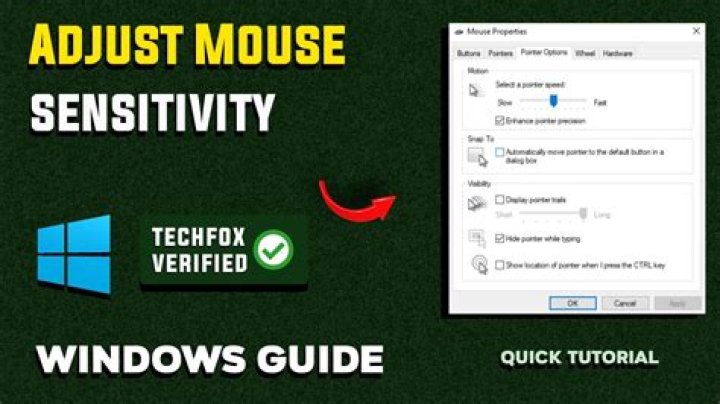
Finally, I've unchecked the "Enhance pointer precision" in "Mouse Properties" and regained the balance.
That was quite unclear. As I spent much time and found the solution almost by luck, I'd like to pin it here.
4Here is some code that can both raise AND lower sensitivity, on a per-device basis (You could lower the sensitivity of one mouse, but not affect another).
It uses RawInput (Implemented in a C# DLL for speed) and SetWindowsHookEx (Implemented in pure AHK) for the blocking.
Note that I have only recently gotten this method to work, so there may well be issues and things that can be improved. I have a thread here on the AHK forums detailing my efforts - there may well be more up-to-date or feature rich versions there.
C# code
Start new class library project, add reference to SharpDX.RawInput via NuGet
DLL should be called MouseDelta.dll and needs to be in same folder.
When you build, it should spit out two SharpDX DLLs into the build folder - your script will also need these.
using System;
using System.Windows.Forms;
using SharpDX.Multimedia;
using SharpDX.RawInput;
using System.Threading;
using System.Collections.Generic;
public class MouseDelta
{ private readonly Thread messagePump; public dynamic relativeMoveCallback; public dynamic wheelCallback; static private Dictionary<IntPtr, string> seenMice = new Dictionary<IntPtr, string>(); static private string subscribedMouse = null; private AutoResetEvent messagePumpRunning = new AutoResetEvent(false); public MouseDelta() { // start message pump in its own thread messagePump = new Thread(RunMessagePump) { Name = "ManualMessagePump" }; messagePump.Start(); messagePumpRunning.WaitOne(); } public void SubscribeRelativeMove(dynamic callback, string mouseId = null) { SetSubscribedMouse(mouseId); relativeMoveCallback = callback; } public void SubscribeWheel(dynamic callback, string mouseId = null) { SetSubscribedMouse(mouseId); wheelCallback = callback; } private void SetSubscribedMouse(string mouseId) { if (mouseId != null) { subscribedMouse = mouseId == "0" ? null : mouseId; } } // the message pump thread private void RunMessagePump() { // Create control to handle windows messages MessageHandler messageHandler = new MessageHandler(); // Register for RawInput mouse messages Device.RegisterDevice(UsagePage.Generic, UsageId.GenericMouse, DeviceFlags.InputSink, messageHandler.Handle); Device.MouseInput += ProcessMouseInput; messagePumpRunning.Set(); Application.Run(); } private void ProcessMouseInput(object sender, MouseInputEventArgs args) { //Console.WriteLine(string.Format("(x,y):({0},{1}) Buttons: {2} State: {3} Wheel: {4}\r\n", args.X, args.Y, args.ButtonFlags, args.Mode, args.WheelDelta)); // Handle mouse filtering if (!seenMice.ContainsKey(args.Device)) { DeviceInfo info = null; var devices = Device.GetDevices(); foreach (var dev in devices) { if (dev.Handle == args.Device) { info = dev; break; } } if (info == null) return; string item = info.DeviceName; item = item.Substring(4); string[] split = item.Split('#'); //string id_01 = split[0]; // ACPI (Class code) string id_02 = split[1]; // PNP0303 (SubClass code) //string id_03 = split[2]; // 3&13c0b0c5&0 (Protocol code) seenMice.Add(args.Device, id_02); } if (subscribedMouse != null && subscribedMouse != seenMice[args.Device]) { return; } // Fire appropriate Callback if (args.Mode == MouseMode.MoveRelative && relativeMoveCallback != null && (Math.Abs(args.X) + Math.Abs(args.Y) > 0)) { relativeMoveCallback(args.X, args.Y, seenMice[args.Device]); } else if (args.WheelDelta != 0 && wheelCallback != null) { wheelCallback(args.WheelDelta / 120, seenMice[args.Device]); } }
}
// Useful SO post on handling messages - code for overriding WndProc
//
// Although the above code is not quite complete. This blog post has the implementation for MessageData
//
// However, by overriding WndProc, we have to process all messages, and then you do not get a SharpDX object..
// ... you just appear to get a raw WM_INPUT message
// For now, this seems to serve our purposes
internal class MessageHandler : NativeWindow
{ public MessageHandler() { CreateHandle(new CreateParams()); }
}
Main AHK script (You should only need to edit this)
; ================= USER SCRIPT ================
#SingleInstance force
#NoEnv
#include CLR.ahk
#include MouseDelta.ahk
OnExit, UnhookAndClose
GoSub, Hook
Gui, Add, Text, , Select Mouse:
mdw := new MouseDeltaWrapper("x+5 yp-3 w200")
mdw.SubscribeMove(Func("MoveEvent"))
mdw.SubscribeWheel(Func("WheelEvent"))
Gui, Show
return
^Esc::
UnhookAndClose:
GuiClose: GoSub, UnHook ExitApp
Hook: hHookMouse := SetWindowsHookEx(WH_MOUSE_LL := 14, RegisterCallback("MouseMove", "Fast")) return
UnHook: UnhookWindowsHookEx(hHookMouse) return
MoveEvent(x, y, mouseId){ Global mdw if (mdw.SelectedMouse == 0 || mdw.SelectedMouse == mouseId){ DllCall("mouse_event",uint,1,int, x ,int, y,uint,0,int,0) }
}
WheelEvent(value, mouseId){ ToolTip % "Wheel: " value ", ID: " mouseId
}
AHK Wrapper
Save as MouseDelta.ahk in same folder
; ================= WRAPPER LIBRARY ================
class MouseDeltaWrapper { SeenMice := {} SelectedMouse := 0 MoveCallback := 0 __New(guiOptions := "", dllPath := "MouseDelta.dll"){ this.Callback := callback Gui, +HwndHwnd this.GuiHwnd := Hwnd Gui, Add, DDL, % "hwndhDDL " guiOptions, Any|| this.hDDL := hDDL fn := this._UserSelectedMouse.Bind(this) GuiControl, +g, % this.hDDL, % fn asm := CLR_LoadLibrary(dllPath) md := asm.CreateInstance("MouseDelta") md.SubscribeRelativeMove(this._MoveEvent.Bind(this)) md.SubscribeWheel(this._WheelEvent.Bind(this)) this.md := md this._UserSelectedMouse() } SubscribeMove(callback){ this.MoveCallback := callback } SubscribeWheel(callback){ this.WheelCallback := callback } _UserSelectedMouse(){ GuiControlGet, mouseId, , % this.hDDL this.SelectedMouse := mouseId == "Any" ? 0 : mouseId if (this.MoveCallback != 0) this.md.SubscribeRelativeMove(this._MoveEvent.Bind(this), this.SelectedMouse) if (this.WheelCallback != 0) this.md.SubscribeWheel(this._WheelEvent.Bind(this), this.SelectedMouse) } _AddMouseToDDL(mouseId){ GuiControl, , % this.hDDL, % mouseId } _UpdateMice(mouseId){ if (!this.SeenMice.HasKey(mouseId)){ this.SeenMice[mouseId] := 1 this._AddMouseToDDL(mouseId) } } _MoveEvent(x, y, mouseId){ this._UpdateMice(mouseId) if (this.MoveCallback != 0 && (this.SelectedMouse == 0 || this.SelectedMouse == mouseId)){ this.MoveCallback.Call(x, y, mouseId) } } _WheelEvent(value, mouseId){ this._UpdateMice(mouseId) if (this.WheelCallback != 0 && (this.SelectedMouse == 0 || this.SelectedMouse == mouseId)){ this.WheelCallback.Call(value, mouseId) } }
}
MouseMove(nCode, wParam, lParam)
{ Critical SetFormat, Integer, D If !nCode && (wParam = 0x200){ ; Mouse movement - process if (NumGet(lParam+0, 12, "int")){ ; if the LLMHF_INJECTED flag is set, this is "injected" input (Came from mouse_event) ; Let this input through Return CallNextHookEx(nCode, wParam, lParam) } else { ; Block the input Return 1 } } else { ; Other mouse message - let through Return CallNextHookEx(nCode, wParam, lParam) }
}
SetWindowsHookEx(idHook, pfn)
{ ;Return DllCall("SetWindowsHookEx", "int", idHook, "Uint", pfn, "Uint", DllCall("GetModuleHandle", "Uint", 0), "Uint", 0) ;The hMod parameter must be set to NULL if the dwThreadId parameter specifies a thread created by the current process and if the hook procedure is within the code associated with the current process DllCall("SetWindowsHookEx", "int", idHook, "Uint", pfn, "Uint", 0, "Uint", 0)
}
UnhookWindowsHookEx(hHook)
{ Return DllCall("UnhookWindowsHookEx", "Uint", hHook)
}
CallNextHookEx(nCode, wParam, lParam, hHook = 0)
{ Return DllCall("CallNextHookEx", "Uint", hHook, "int", nCode, "Uint", wParam, "Uint", lParam)
}
CLR Library - allows AHK to interop with C# DLLs.
Save this as CLR.ahk in same folder, or in AHK Lib folder
; ==========================================================
; .NET Framework Interop
;
; ==========================================================
;
; Author: Lexikos
; Version: 1.2
; Requires: AutoHotkey_L v1.0.96+
;
; Modified by evilC for compatibility with AHK_H as well as AHK_L
; "null" is a reserved word in AHK_H, so did search & Replace from "null" to "_null"
CLR_LoadLibrary(AssemblyName, AppDomain=0)
{ if !AppDomain AppDomain := CLR_GetDefaultDomain() e := ComObjError(0) Loop 1 { if assembly := AppDomain.Load_2(AssemblyName) break static _null := ComObject(13,0) args := ComObjArray(0xC, 1), args[0] := AssemblyName typeofAssembly := AppDomain.GetType().Assembly.GetType() if assembly := typeofAssembly.InvokeMember_3("LoadWithPartialName", 0x158, _null, _null, args) break if assembly := typeofAssembly.InvokeMember_3("LoadFrom", 0x158, _null, _null, args) break } ComObjError(e) return assembly
}
CLR_CreateObject(Assembly, TypeName, Args*)
{ if !(argCount := Args.MaxIndex()) return Assembly.CreateInstance_2(TypeName, true) vargs := ComObjArray(0xC, argCount) Loop % argCount vargs[A_Index-1] := Args[A_Index] static Array_Empty := ComObjArray(0xC,0), _null := ComObject(13,0) return Assembly.CreateInstance_3(TypeName, true, 0, _null, vargs, _null, Array_Empty)
}
CLR_CompileC#(Code, References="", AppDomain=0, FileName="", CompilerOptions="")
{ return CLR_CompileAssembly(Code, References, "System", "Microsoft.CSharp.CSharpCodeProvider", AppDomain, FileName, CompilerOptions)
}
CLR_CompileVB(Code, References="", AppDomain=0, FileName="", CompilerOptions="")
{ return CLR_CompileAssembly(Code, References, "System", "Microsoft.VisualBasic.VBCodeProvider", AppDomain, FileName, CompilerOptions)
}
CLR_StartDomain(ByRef AppDomain, BaseDirectory="")
{ static _null := ComObject(13,0) args := ComObjArray(0xC, 5), args[0] := "", args[2] := BaseDirectory, args[4] := ComObject(0xB,false) AppDomain := CLR_GetDefaultDomain().GetType().InvokeMember_3("CreateDomain", 0x158, _null, _null, args) return A_LastError >= 0
}
CLR_StopDomain(ByRef AppDomain)
{ ; ICorRuntimeHost::UnloadDomain DllCall("SetLastError", "uint", hr := DllCall(NumGet(NumGet(0+RtHst:=CLR_Start())+20*A_PtrSize), "ptr", RtHst, "ptr", ComObjValue(AppDomain))), AppDomain := "" return hr >= 0
}
; NOTE: IT IS NOT NECESSARY TO CALL THIS FUNCTION unless you need to load a specific version.
CLR_Start(Version="") ; returns ICorRuntimeHost*
{ static RtHst := 0 ; The simple method gives no control over versioning, and seems to load .NET v2 even when v4 is present: ; return RtHst ? RtHst : (RtHst:=COM_CreateObject("CLRMetaData.CorRuntimeHost","{CB2F6722-AB3A-11D2-9C40-00C04FA30A3E}"), DllCall(NumGet(NumGet(RtHst+0)+40),"uint",RtHst)) if RtHst return RtHst EnvGet SystemRoot, SystemRoot if Version = Loop % SystemRoot "\Microsoft.NET\Framework" (A_PtrSize=8?"64":"") "\*", 2 if (FileExist(A_LoopFileFullPath "\mscorlib.dll") && A_LoopFileName > Version) Version := A_LoopFileName if DllCall("mscoree\CorBindToRuntimeEx", "wstr", Version, "ptr", 0, "uint", 0 , "ptr", CLR_GUID(CLSID_CorRuntimeHost, "{CB2F6723-AB3A-11D2-9C40-00C04FA30A3E}") , "ptr", CLR_GUID(IID_ICorRuntimeHost, "{CB2F6722-AB3A-11D2-9C40-00C04FA30A3E}") , "ptr*", RtHst) >= 0 DllCall(NumGet(NumGet(RtHst+0)+10*A_PtrSize), "ptr", RtHst) ; Start return RtHst
}
;
; INTERNAL FUNCTIONS
;
CLR_GetDefaultDomain()
{ static defaultDomain := 0 if !defaultDomain { ; ICorRuntimeHost::GetDefaultDomain if DllCall(NumGet(NumGet(0+RtHst:=CLR_Start())+13*A_PtrSize), "ptr", RtHst, "ptr*", p:=0) >= 0 defaultDomain := ComObject(p), ObjRelease(p) } return defaultDomain
}
CLR_CompileAssembly(Code, References, ProviderAssembly, ProviderType, AppDomain=0, FileName="", CompilerOptions="")
{ if !AppDomain AppDomain := CLR_GetDefaultDomain() if !(asmProvider := CLR_LoadLibrary(ProviderAssembly, AppDomain)) || !(codeProvider := asmProvider.CreateInstance(ProviderType)) || !(codeCompiler := codeProvider.CreateCompiler()) return 0 if !(asmSystem := (ProviderAssembly="System") ? asmProvider : CLR_LoadLibrary("System", AppDomain)) return 0 ; Convert | delimited list of references into an array. StringSplit, Refs, References, |, %A_Space%%A_Tab% aRefs := ComObjArray(8, Refs0) Loop % Refs0 aRefs[A_Index-1] := Refs%A_Index% ; Set parameters for compiler. prms := CLR_CreateObject(asmSystem, "System.CodeDom.Compiler.CompilerParameters", aRefs) , prms.OutputAssembly := FileName , prms.GenerateInMemory := FileName="" , prms.GenerateExecutable := SubStr(FileName,-3)=".exe" , prms.CompilerOptions := CompilerOptions , prms.IncludeDebugInformation := true ; Compile! compilerRes := codeCompiler.CompileAssemblyFromSource(prms, Code) if error_count := (errors := compilerRes.Errors).Count { error_text := "" Loop % error_count error_text .= ((e := errors.Item[A_Index-1]).IsWarning ? "Warning " : "Error ") . e.ErrorNumber " on line " e.Line ": " e.ErrorText "`n`n" MsgBox, 16, Compilation Failed, %error_text% return 0 } ; Success. Return Assembly object or path. return compilerRes[FileName="" ? "CompiledAssembly" : "PathToAssembly"]
}
CLR_GUID(ByRef GUID, sGUID)
{ VarSetCapacity(GUID, 16, 0) return DllCall("ole32\CLSIDFromString", "wstr", sGUID, "ptr", &GUID) >= 0 ? &GUID : ""
}Is there any custom software for Logitech Mice similar to Razer Synapse? You might be able to find custom-sensitivity settings in there.
1My issue was very sensitive y-axis, low sensitivity on x-axis (top to bottom of screen was half a mouse pad, left to right would take 2 full moves across mousepad).
I tried removing the checkbox of "Enhance Pointer precision" -> did not help.
I played around with graphic settings (resolution) -> did not help (some resolutions are better than others)
I unplugged the monitor and plugged it back in -> did not help.
I unplugged my mouse and used a different usb port -> fixed the issue
hopefully it helps anyone else.


