Help with using Nepali Unicode Keyboard Layout ( Romanized ) and Language Support!
How do I type क्ष,त्र, ज्ञ, etc. with Nepali Keyboard layout enabled in Ubuntu?
How do I localize my system to use Nepali Language and keyboard?
02 Answers
Here's a snapshot of the keyboard layout with Nepali Unicode based on devnagari script in Ubuntu:
click to view; Ctrl + +/- to zoom in/out; Ctrl + 0 to restore)
A few keyboard mappings and combinations:
Adding and using Nepali Keyboard Layout:
Click the keyboard icon at the panel and select keyboard layout settings or select System Settings -> Keyboard Layout:
Click the add (+) icon, search for nepali input, select and hit Add button.
Click the keyboard icon at the top panel select the layout you want to use. You can toggle the layout with the keyboard shortcut: Shift + Caps Lock
Adding and using Ubuntu's Nepali Language Support
Go to System Settings:
Select Language Support:
Click Install / Remove Languages ..., search for Nepali and mark it, then click the Apply Changes button; wait for the installation to complete.
Goto Language Support window again and rearrange the language preferences.
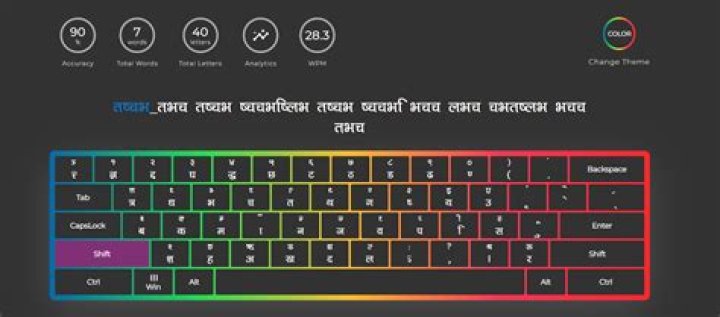
If you really want to learn Nepali typing then, NepKeys () is the best platform for you. There is no other better tool out there that can really help you practice Nepali typing scientifically. It has built in analytical tools that give you your accuracy, wpm, various graphs to analyze and even save your progress for further use.
Layout of Nepali Keyboard and NepKeys Interface


