Help installing Ubuntu Desktop Next 15.04 from USB
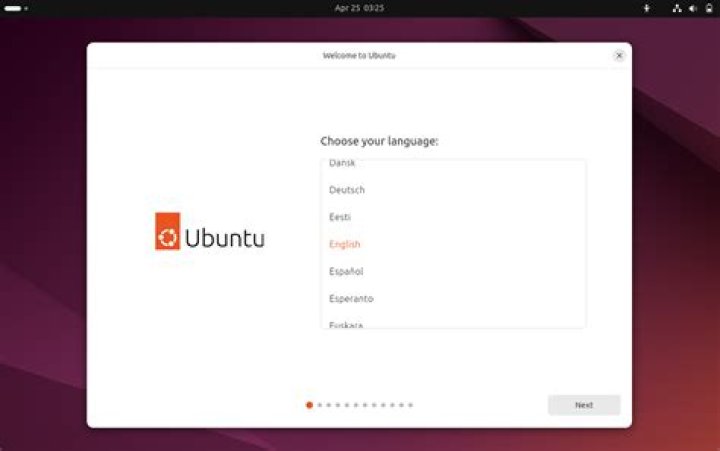
I would like to install Ubuntu Desktop Next 15.04's daily build from 12/31/14. I would like to know how to install this from a USB stick. I used the instructions on the Ubuntu website for normal installing, but when it boots, it brings me to a (sorta) graphical boot menu with options to do stuff like Install Ubuntu Desktop Next. When I try to do a live session or run the installer, it gets stuck on the boot menu. Could you please help me with this? I use a Gateway GT5622 with a Pentium E2160 running at 1.80 GHz with 3 Gibibytes (GiB, not Gigabytes or GB) of RAM.
I know, you may be saying "It's wrong to use an alpha", but I actually want to beta test Unity 8. I hope that gives some of you people downvoting just because "it's an alpha". I'm going to use it just to test!
EDIT: I realized I was being impatient. I'm sorry about that. I did get setup to work, but when I log in, it starts Mir but no Unity 8. Also, one person put in the comments that Ubuntu 15.04 is offtopic on Ask Ubuntu, is this true? I need to corroborate this information. I'll also try a different build if I can't seem to find an answer.
51 Answer
I am using 15.04 beta (installed from USB)
Creating [UEFI-only install] USB Drive:
- Download .iso file;
- Insert USB Drive; (all content will be lost)
- Start Disk Utility; (aka 'Disks')
- Select the USB Drive;
- Click on 'cog' icon, at top right
- Select 'Restore Disk Image', and navigate to .iso file;
- Click 'Start Restoring'
- Insert USB Drive on target system.
- Reboot the System, and manually select UEFI 'boot' device.
Have fun!
Daniel
2

