Git push to remote repository hangs at "Writing objects: 100%"
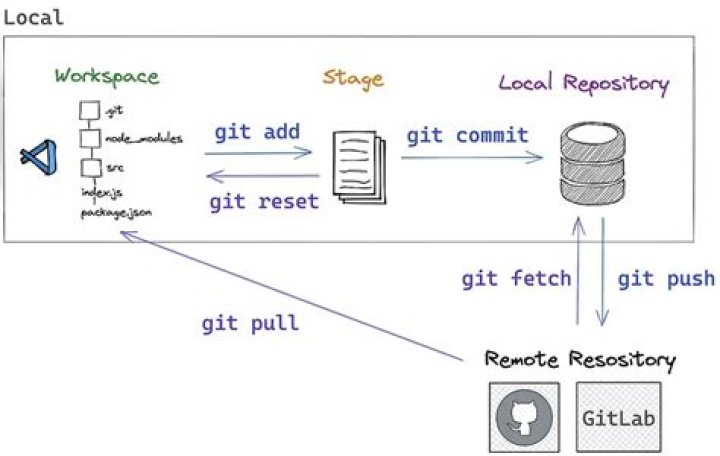
I'm trying to create a repository on my desktop to be accessed by my laptop using git daemon.
On my desktop I create the repository (repo.git) and initialize it with
git init --bareThen I start git daemon with
git daemon --export-all --enable=receive-pack --base-path=. --verboseAfter that on my laptop I clone the repository using
git clone git://address/repo.gitThe repository clones successfully but when I add a file to the repository (test.txt) and then run
git add test.txt
git commit -a -m "Add test.txt"
git push origin master
Git outputs
Enumerating objects: 3, done.
Counting objects: 100% (3/3), done.
Writing objects: 100% (3/3)
But doesn't get past that.
However, If I clone the repository onto my desktop using the local protocol, add another file, commit and then push it, everything works fine and git outputs
Enumerating objects: 3, done.
Counting objects: 100% (3/3), done.
Writing objects: 100% (3/3), 216 bytes | 216 KiB/s, done.
Total 3 (delta 0), reused 0 (delta 0)
To file://path * [new branch] master -> master
Am I doing something wrong? As far as I know this is the correct way to set it up.
My desktop is running Windows 10 Pro and my laptop is running Windows 10 Home. Both machines are running git 2.23.0.windows.1. I have port-forwarded port 9148.
1 Answer
I add exactly the same problem. I fixed it, as per with
git config --global sendpack.sideband false


