Fixing Screen Tearing on Ubuntu 20.04 LTS w/ NVIDIA GeForce GTX 1650 Mobile on a PRIME Display?
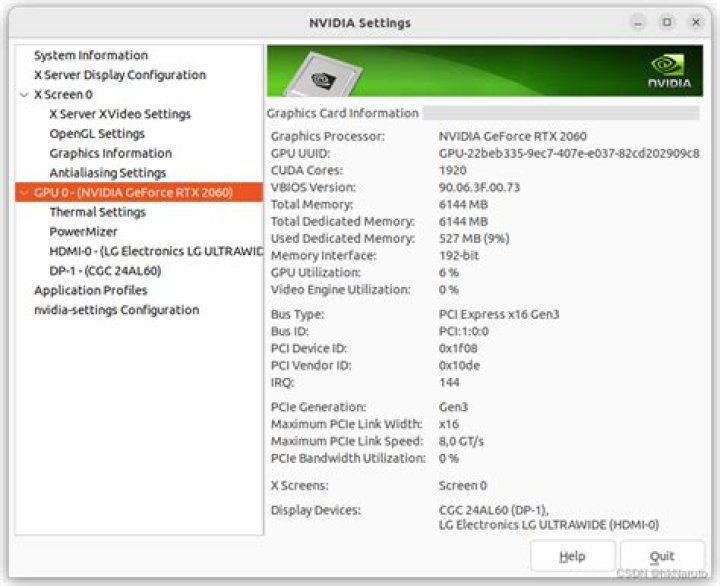
I'm really new to Ubuntu and I'm having screen tearing issues whenever I use it. I changed some settings on Firefox and that improved the tearing a little bit, but the tearing is a system-wide issue, which is really annoying. I still get tearing when I watch videos, scroll on websites + when I move windows around on the desktop, watch videos on VLC, etc.
I am using the NVIDIA driver metapackage from nvidia-driver-440 (proprietary, tested).
One of the possible solutions I found online was to change some settings in the NVIDIA X Server Settings, but I don't get the options the tutorial had listed because apparently I have a "PRIME display" (I don't know what that means). There's a note on NVIDIA X Server Settings that says "PRIME Displays cannot be controlled by nvidia-settings and must be configured by an external RandR capable tool." Since I'm very new to this, I don't know what that means lol.
For more context, I'm running Ubuntu on my laptop and am using the laptop display. The screen resolution is 3840 x 2160 and the refresh rate is 60,00Hz. The OS is scaled 200x times and I'm not using Fractional Scaling.
What do I need to do to get rid of the screen tearing? Should I be using "nvidia-driver-440" or another driver? Can I fix tearing using terminal commands or do I need to do something else? What is an "RandR capable tool" and a "PRIME display"? Do I need to do something different because of this or no?
Thanks so much in advance for helping a noob out!!
2 Answers
What do I need to do to get rid of the screen tearing?
If you haven't tried modesetting option of Nvidia driver already then I'd suggest you do that as that made things better by a good margin for my laptop with hybrid graphics. See this page for details:
Enable GPU acceleration in your browser to benefit from this setting because otherwise integrated GPU settings apply and with intel we also suffer from screen tearing. Intel driver has an X setting for dealing with this ("TearFree" option) but after I started using on-demand option of Nvidia PRIME, to make the switch to dGPU on the fly, I can't find a way to include this option in my X settings without breaking the PRIME display
Should I be using "nvidia-driver-440" or another driver?
Ubuntu 20.04 now has nvidia-driver-450 which also supports reverse prime i.e. you can use your dedicated GPU as an output sink for example to support external display while still using integrated GPU for power saving. There are many other improvements as well so this is what you'd want to use if you have an Optimus dGPU.
What is an "RandR capable tool"
RandR is a communication protocol for X server. The message you get from Nvidia settings mean that you display manager is controlling the displays. 'xrandr' utility on Ubuntu is such a tool but AFAIK it can't help you here.
and a "PRIME display"?
PRIME is a term for technology to support hybrid graphics under Linux.
Happy tweaking!
Same problem on Ubuntu 20.04 running on Lenovo X1 Extreme with GTX 1650. I've tried several options but with no success. For now as some workround I've selected integrated graphics in NVIDIA configuration tool. Since I'm not playing games that's kind of OK. Now video playback is without problems.
Hope video tearing issues will be fixed some day.
0

