FFMPEG rtmp "connecting" instead of "listening"
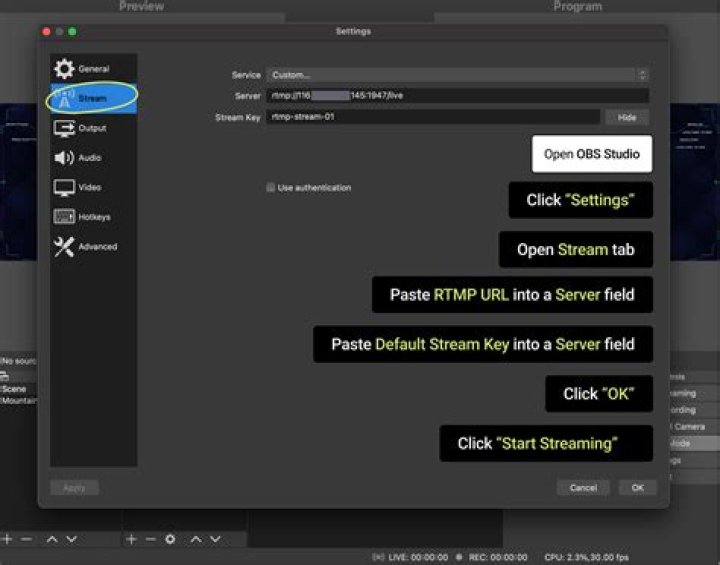
I want to accept an RTMP stream (from OBS) and send the video feed to a v4l2 loopback device, similar to
However, I'm blocked right out of the gate, as ffmpeg doesn't listen for an RTMP stream to connect, it tries to connect itself and fails immediately...This is on Fedora Silverblue 35 inside a toolbox, using the RPM fusion build of ffmpeg. How do I get ffmpeg to listen at the provided URL instead of trying to connect to an existing server?
(Yes OBS has a virtual camera built in, the thought is to also send the audio from the stream to a virtual audio device ala pipewire, so that Zoom/Teams/etc. get processed video and audio rather than the unprocessed "audio monitor".)
⬢[bnordgren@toolbox v4l2loopback]$ ffmpeg -listen 1 -timeout 10000 -f flv -loglevel debug -i rtmp://127.0.0.1:5000/mystream/test -vcodec rawvideo -y -f v4l2 /dev/video4
ffmpeg version 4.4.1 Copyright (c) 2000-2021 the FFmpeg developers built with gcc 11 (GCC) configuration: --prefix=/usr --bindir=/usr/bin --datadir=/usr/share/ffmpeg --docdir=/usr/share/doc/ffmpeg --incdir=/usr/include/ffmpeg --libdir=/usr/lib64 --mandir=/usr/share/man --arch=x86_64 --optflags='-O2 -flto=auto -ffat-lto-objects -fexceptions -g -grecord-gcc-switches -pipe -Wall -Werror=format-security -Wp,-D_FORTIFY_SOURCE=2 -Wp,-D_GLIBCXX_ASSERTIONS -specs=/usr/lib/rpm/redhat/redhat-hardened-cc1 -fstack-protector-strong -specs=/usr/lib/rpm/redhat/redhat-annobin-cc1 -m64 -mtune=generic -fasynchronous-unwind-tables -fstack-clash-protection -fcf-protection' --extra-ldflags='-Wl,-z,relro -Wl,--as-needed -Wl,-z,now -specs=/usr/lib/rpm/redhat/redhat-hardened-ld -specs=/usr/lib/rpm/redhat/redhat-annobin-cc1 ' --extra-cflags=' -I/usr/include/rav1e' --enable-libopencore-amrnb --enable-libopencore-amrwb --enable-libvo-amrwbenc --enable-version3 --enable-bzlib --enable-chromaprint --disable-crystalhd --enable-fontconfig --enable-frei0r --enable-gcrypt --enable-gnutls --enable-ladspa --enable-libaom --enable-libdav1d --enable-libass --enable-libbluray --enable-libbs2b --enable-libcdio --enable-libdrm --enable-libjack --enable-libfreetype --enable-libfribidi --enable-libgsm --enable-libilbc --enable-libmp3lame --enable-libmysofa --enable-nvenc --enable-openal --enable-opencl --enable-opengl --enable-libopenjpeg --enable-libopenmpt --enable-libopus --enable-libpulse --enable-librsvg --enable-librav1e --enable-librtmp --enable-librubberband --enable-libsmbclient --enable-version3 --enable-libsnappy --enable-libsoxr --enable-libspeex --enable-libsrt --enable-libssh --enable-libsvtav1 --enable-libtesseract --enable-libtheora --enable-libtwolame --enable-libvorbis --enable-libv4l2 --enable-libvidstab --enable-libvmaf --enable-version3 --enable-vapoursynth --enable-libvpx --enable-vulkan --enable-libglslang --enable-libwebp --enable-libx264 --enable-libx265 --enable-libxvid --enable-libxml2 --enable-libzimg --enable-libzmq --enable-libzvbi --enable-lv2 --enable-avfilter --enable-avresample --enable-libmodplug --enable-postproc --enable-pthreads --disable-static --enable-shared --enable-gpl --disable-debug --disable-stripping --shlibdir=/usr/lib64 --enable-lto --enable-libmfx --enable-runtime-cpudetect libavutil 56. 70.100 / 56. 70.100 libavcodec 58.134.100 / 58.134.100 libavformat 58. 76.100 / 58. 76.100 libavdevice 58. 13.100 / 58. 13.100 libavfilter 7.110.100 / 7.110.100 libavresample 4. 0. 0 / 4. 0. 0 libswscale 5. 9.100 / 5. 9.100 libswresample 3. 9.100 / 3. 9.100 libpostproc 55. 9.100 / 55. 9.100
Splitting the commandline.
Reading option '-listen' ... matched as AVOption 'listen' with argument '1'.
Reading option '-timeout' ... matched as AVOption 'timeout' with argument '10000'.
Reading option '-f' ... matched as option 'f' (force format) with argument 'flv'.
Reading option '-loglevel' ... matched as option 'loglevel' (set logging level) with argument 'debug'.
Reading option '-i' ... matched as input url with argument 'rtmp://127.0.0.1:5000/mystream/test'.
Reading option '-vcodec' ... matched as option 'vcodec' (force video codec ('copy' to copy stream)) with argument 'rawvideo'.
Reading option '-y' ... matched as option 'y' (overwrite output files) with argument '1'.
Reading option '-f' ... matched as option 'f' (force format) with argument 'v4l2'.
Reading option '/dev/video4' ... matched as output url.
Finished splitting the commandline.
Parsing a group of options: global .
Applying option loglevel (set logging level) with argument debug.
Applying option y (overwrite output files) with argument 1.
Successfully parsed a group of options.
Parsing a group of options: input url rtmp://127.0.0.1:5000/mystream/test.
Applying option f (force format) with argument flv.
Successfully parsed a group of options.
Opening an input file: rtmp://127.0.0.1:5000/mystream/test.
[flv @ 0x560f5f84b4c0] Opening 'rtmp://127.0.0.1:5000/mystream/test' for reading
[rtmp @ 0x560f5f84c180] No default whitelist set
Parsing...
Parsed protocol: 0
Parsed host : 127.0.0.1
Parsed app : mystream
RTMP_Connect0, failed to connect socket. 111 (Connection refused)
rtmp://127.0.0.1:5000/mystream/test: Unknown error occurred
1 Answer
Regarding the RTMP connection, it should have worked.
I can't test on Fedora Silverblue 35 inside a toolbox, using the RPM fusion (I am running Windows 10).
I also don't have a virtual camera built in.
My answer applies only the RTMP connection...
For making things reproducible, the following example streams synthetic video to RTMP.
The listener process writes the video to an MP4 file.
The execution order is important - start the listener process first.
Open two consoles.
In the first console execute the listener FFmpeg process:
ffmpeg -listen 1 -timeout 10000 -f flv -loglevel debug -i rtmp://127.0.0.1:5000/mystream/test -vcodec libx264 -y test.mp4In the second console execute an RTMP streaming process:
ffmpeg -re -f lavfi -i testsrc=size=192x128:rate=1:duration=60 -pix_fmt yuv420p -vcodec libx264 -bufsize 64M -maxrate 4M -f flv rtmp://127.0.0.1:5000/mystream/test
After a minute test.mp4 file is created.
I don't think it's possible to identify the exact issue - there are too many variables in your post.
There is a slight chance that the issue is just the execution order.
I hope it helps...


