Excel freezes/hangs for ~5min on copy operation
Problem: Excel frequently freezes/hangs for about 5 minutes when copying data from one cell to another. Some of the associated symptoms with the issue include the following:
- CPU usage spikes for Excel, seemingly consuming an entire core, and the fans begin to run hard
- Task manager's "Analyze wait chain" tool shows that Excel is waiting on the print spooler, "splwow64.exe" see screenshot. Unclear to me if this is related.
- Excel is unresponsive for a long period of time, typically 5-10 minutes, after which it recovers but remains extremely slow while the copy operation is active (i.e. while the dotted lines are around the cell)
- If I go to another open window (for instance, Chrome) and copy something from there, Excel recovers immediately.
- I'm using Office 365, version 2108 on Windows 10 x64, both up-to-date.
- My PC has a recent Intel Core i7 processor with plenty of free disk space and memory.
- The issue occurs across multiple Excel files (not based on any shared template). My excel files are relatively small and have neither macros nor conditional formatting.
- I have also found that trying to link a formula in one sheet to a cell in another sheet can trigger the issue and is resolved by pressing the "Esc" key
Attempted solutions: I have made numerous attempts over the past few months to debug and resolve this issue, including the following (many sourced from this similar thread):
- Rebooted, reinstalled Office; "repaired" my Office installation
- Disabled Excel add-ins
- Replaced the PC with a new PC (but reinstalled programs and HP printer)
- Changed the default printer to "Microsoft Print to pdf"
- Uninstalled the printer and print driver (which was an HP LaserJet Pro M281fdw)
- Attempted to remove any traces of the HP printer from the registry
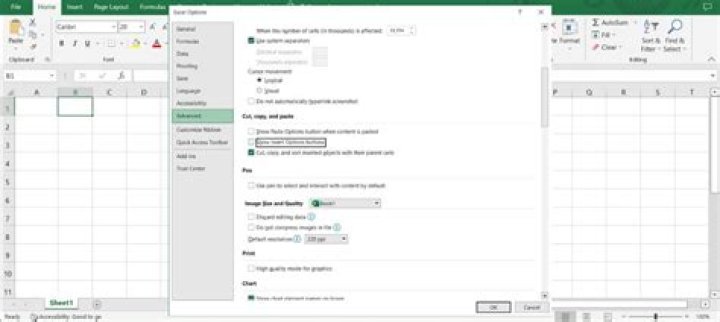
- Unchecked "Show Paste Options button when content is pasted" in Options > Advanced > "Cut, copy, and paste"
- Added a registry key to set the splwow64 timeout (SplWOW64TimeOutSeconds, Value: 3) as suggested on this thread
I would much appreciate any help in trying to resolve this frustrating and productivity destroying issue. Thank you
9 Reset to default

