Excel double click autofill not working on non-empty merged cells
In Excel (latest 2016 Professional Plus version 1811 on Windows 10) you can copy the formula in a selected cell (cells) down by double clicking on the dot in the bottom right corner. This also works if the lower cells already have some content. E.g. here the formula would be copied down from C2 into C3 and C4 too, even though those cells are not blank:
Here's the file that works for me:
However the same won't work with formulas in merged cells, if you double click on the dot here nothing happens:
This is the test file I'm using:
Is this intentional, or is there some way to get this working? In this example it doesn't really matter of course, but if you have thousands of rows and you need to change the formula you'll need to drag down the box all the way.
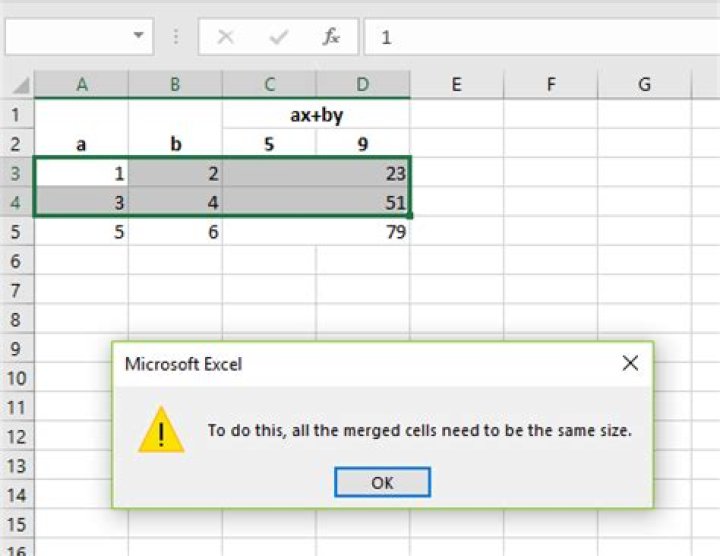
It's probably worth noting that if I try to pull down the whole line I get a "To do this, all merged cells need to be the same size." Not sure if related.
Note that this is only with cells which are not blank; with blank cells the double click works equally well in both cases.
Probably worth noting that my system uses the Hungarian (hu_HU) locale. Because of this e.g. in Excel the separator between formula arguments is a semicolon, not colon. Shouldn't make a difference though.
Thanks in advance!
3 Reset to default

