Error: unknown filesystem - Grub rescue
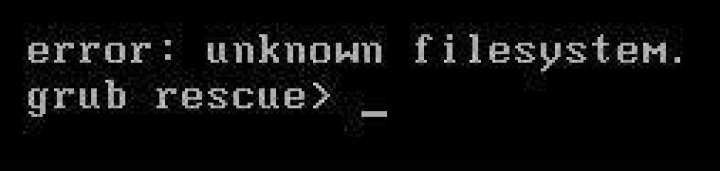
I have a problem. On my laptop I have two operation system: Kali Linux and Windows 10. Yesterday, while working on my windows partition, I have decided to create a new partition (D:) from the C: When I closed my laptop and when I turned it on, Grub rescue error appeared on the screen. If I type ls appears:
(hd0) (hd0,gpt8) (hd0,gpt7) (hd0,gpt6) (hd0,gpt5) (hd0,gpt4) (hd0,gpt3) (hd0,gpt2) (hd0,gpt1) (cd0)If type ls (hd0,gpt6)/ appears:
./ ..// lost+found/ efi/ config-4.9.0-kali2-amd64 vmlinuz--4.9.0-kali2-amd64 config-4.9.0-kali3-amd64 vmlinuz-4.9.0-kali3-amd64 grub/ ignited.img-4.9.0-kali3-amd64 System.map-4.9.0-kali2-amd64 initrd.img-4.9.0-kali2-amd64 System.map-4.9.0-kali3-amd64Starting Ubuntu live from USB stick and invoking the command fdisk -l I get the following table:
At this point you could please help me move forward because I don't know what else to try. Thank you in advance for your reply.
11 Answer
I'm not a all-day-Linux type of user. But you might be able to get around that by fixing the grub.cfg file, or live booting into a Ubuntu from USB and trying update-grub or grub-install in the Terminal.
If you don't get a way around that, I recommend taking a peek into EasyBCD utility.
If you have another computer with Windows installed on it, you can create a WinPE .iso with EasyBCD pre-installed on it to be able to change the BCD Data Record via WinPE USB, of course you can burn the .iso to USB using PowerISO (Create bootable USB) option.
Also to point out, EasyBCD has a option to install grub but also for Ubuntu specific partitions!
Good luck and I hope I was helpful.


