ERR_CERT_COMMON_NAME_INVALID with wildcard certificate with Apache
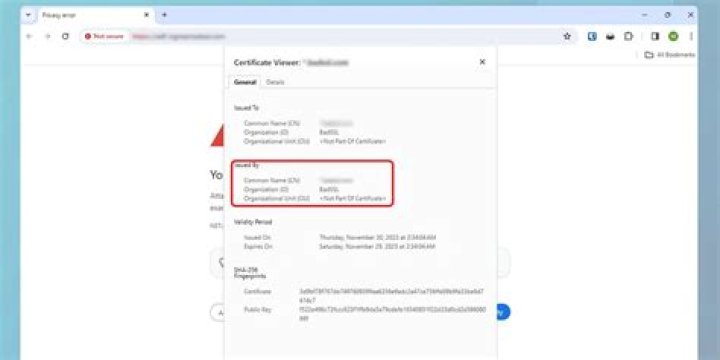
I'm new to managing SSL certificates so my problem might be simple to resolve. I'm trying to add my wildcard SSL certificate to my website hosted on a container running Apache on Azure Container Service.
My wildcard certificate was in a .pfx format so the first thing I did was to transform it to .cer and .key files following the steps in this post.
Then, in my container running apache, I modified the /etc/apache2/sites-available/default-ssl.conf. Resulting default-ssl.conf file looks like this (I just modified the path of the SSLCertificate and SSLCertificateKeyFile parameters):
<IfModule mod_ssl.c> <VirtualHost _default_:443> ServerAdmin webmaster@localhost DocumentRoot /var/www ErrorLog ${APACHE_LOG_DIR}/error.log CustomLog ${APACHE_LOG_DIR}/access.log combined SSLEngine on SSLCertificateFile /path/to/my_cert.cer SSLCertificateKeyFile /path/to/my_cert.key <FilesMatch "\.(cgi|shtml|phtml|php)$"> SSLOptions +StdEnvVars </FilesMatch> <Directory /usr/lib/cgi-bin> SSLOptions +StdEnvVars </Directory> </VirtualHost>
</IfModule>
I reloaded apache with service apache2 reload and tried accessing my website using https, but I'm getting the error:
NET::ERR_CERT_COMMON_NAME_INVALID
Subject: *.mywildcarddomain.com
Issuer: COMODO RSA Domain Validation Secure Server CA
Expires on: 23 janv. 2019
Current date: 5 avr. 2018
PEM encoded chain:
-----BEGIN CERTIFICATE-----
MIIFYDCCBEigAwIBAgIQa+Poznv/97OzNsLOXAg7XzANBgkqhkiG9w0BAQsFADCB
kDELMAkGA1UEBhMCR0IxGzAZBgNVBAgTEkdyZWF0ZXIgTWFuY2hlc3RlcjEQMA4G
[...]
ABtyht+psnih978xFzBZcAJVWFkbJI2AAOJudMkquV7z1OdmR9jHfPPLMGa7OZf0
4AzQWsxBGuRgoAGGyL3NluVcbrYldc/O/A4jbJDaywjWkpPn
-----END CERTIFICATE-----
-----BEGIN CERTIFICATE-----
MIIGCDCCA/CgAwIBAgIQKy5u6tl1NmwUim7bo3yMBzANBgkqhkiG9w0BAQwFADCB
hTELMAkGA1UEBhMCR0IxGzAZBgNVBAgTEkdyZWF0ZXIgTWFuY2hlc3RlcjEQMA4G
[...]
lBlGGSW4gNfL1IYoakRwJiNiqZ+Gb7+6kHDSVneFeO/qJakXzlByjAA6quPbYzSf
+AZxAeKCINT+b72x
-----END CERTIFICATE-----
-----BEGIN CERTIFICATE-----
MIIF2DCCA8CgAwIBAgIQTKr5yttjb+Af907YWwOGnTANBgkqhkiG9w0BAQwFADCB
hTELMAkGA1UEBhMCR0IxGzAZBgNVBAgTEkdyZWF0ZXIgTWFuY2hlc3RlcjEQMA4G
[...]
0MC2Hb46TpSi125sC8KKfPog88Tk5c0NqMuRkrF8hey1FGlmDoLnzc7ILaZRfyHB
NVOFBkpdn627G190
-----END CERTIFICATE-----
I tried accessing the website using the Azure URL (i.e.: ).
Am I missing configuration in another file ? What have I done wrong ?
1 Answer
Problem solved. I just mapped mywebsite.mywildcarddomain.com to my azure website and now I can access with https.


