DNSMasq for multiple vlans with Ubuntu 18.04
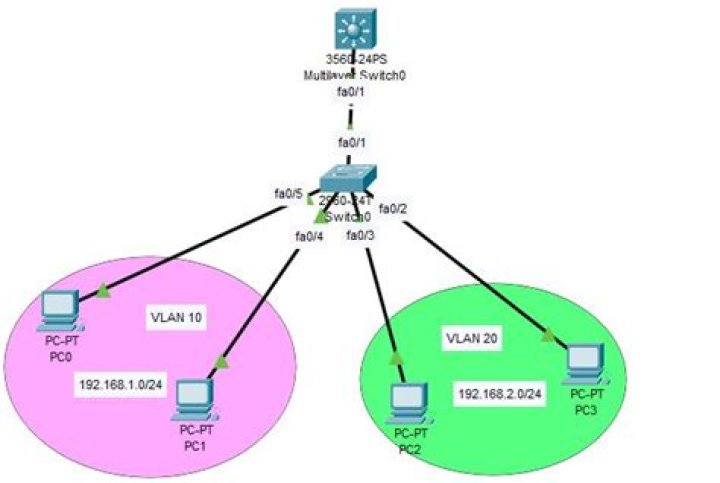
Is it possible to setup one instance of dnsmasq to handle multiple vlans?
I have 3 vlans
10.0.4.0/24 - guest wifi
10.0.10.0/24 - user network
10.0.50.0/24 - private mission critical network
I want to have use DNSMasq to handle dns caching and dhcp service for all 3 networks.
I figured I would place it in the 10.0.10.0/24 network and allow access to it from all 3. UFW allowed traffic on the corresponding ports for DNS and DHCP only and ssh from the 10.0.50.0/24 network.
I'm running this on Ubuntu 18.04 on a vm. I have a lot of machines I need remote access to and remembering ips is becoming a pain. I installed a dedicated network card on the vm host to give this vm untagged access to the 10.0.10.0/24 network.
I have had it working briefly but the vlaning is weird. Seems like the vlan breaks down randomly. I set it up when I installed the os.
Should I use a different card for all 3 networks to the vm and then vlan? Or would it be better to run an instance on all 3 networks and have one primary instance handle all of my settings, then have the other ones mirror the dns? I guess I would have to log in to each to setup dhcp.
What's the best approach to this?
1 Answer
It is possible to do this. You just have to specify the tag for each lan.
#DHCP Ranges
#VLAN10 Office
#dhcp-option=VLAN10,3,10.0.10.1
#dhcp-option=VLAN10,6,10.0.10.2,10.0.50.2
#dhcp-range=VLAN10,10.0.10.20,10.0.10.239,255.255.255.0,8h
#VLAN20 Voice
#dhcp-option=VLAN20,3,10.0.20.1
#dhcp-option=VLAN20,6,10.0.10.2,10.0.50.2
#dhcp-range=VLAN20,10.0.20.200,10.0.20.239,255.255.255.0,8h

