DNS Authoritative Answer Issue
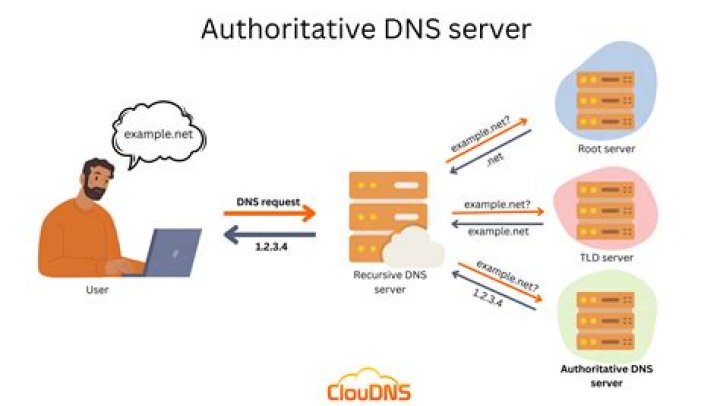
So I was just doing some studying of DNS and ran across an issue I can't explain (or find an answer to on the good ole Google).
Basically, I was just doing a simple IP lookup for yahoo.com. However, none of the IP addresses returned by nslookup were resolving correctly in my browser. Here is the output of nslookup:
ex. nslookup of yahoo.com
But every one of those IP addresses resolves to a webpage like this:
ex. yahoo maintenance page
So I figured it might be a problem with my DNS server. So I did a nameserver lookup and used the results from that (shown in the image below) to set my DNS Server in nslookup:
ex. nslookup for yahoo.com nameservers
However, even after doing that, all the IP addresses returned for yahoo.com still resolved to that weird maintenance page. Also, even after setting nslookup to use one of those namerservers, I'm still not getting authoritative answers back...
ex. non-authoritative answer
Any ideas what the issue is? Or what I'm doing wrong? I haven't ran into this problem with any of the other sites I do this on.
Thanks, Chris
51 Answer
Many web servers are configured to serve multiple sites/domains from the same single IP address (virtual hosting). This requires that the web browser send a "Host:" header saying which site they're trying to load (since the IP address the request was received on is not enough info). HTTP/1.1 made the "Host:" header mandatory, so this is how things have worked for over twenty years now. Filling in the Host header with the IP address still doesn't tell the web server which site you're trying to access. Some web servers may be configured to have a primary/default site to serve when this happens, but others will just serve an error page.
Try telnetting to port 80 on one of those IP addresses and manually entering your HTTP request headers. See what happens when you use yahoo.com in the Host header, and what happens when you just put in the IP address.
3

