Display Windows's proxy setting via CLI
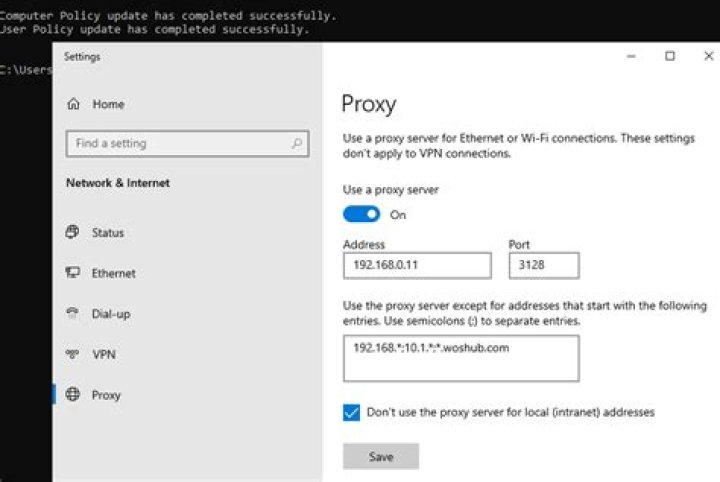
Is there a way to print out Windows proxy setting via CLI accurately?
At the moment, I found 2 ways to do it, unfortunately when I compare with IE Lan Settings (GUI) it's not accurate.
netsh winhttp show proxyor
reg query "HKEY_CURRENT_USER\Software\Microsoft\Windows\CurrentVersion\Internet Settings" | findstr "ProxyServer AutoConfigURL"Example 1
C:\>netsh winhttp show proxy
Current WinHTTP proxy settings: Proxy Server(s) : x.x.x.x:8080 Bypass List : (none)
C:\>
Example 2
C:\>reg query "HKEY_CURRENT_USER\Software\Microsoft\Windows\CurrentVersion\Internet Settings" | findstr "ProxyServer AutoConfigURL" ProxyServer REG_SZ http=127.0.0.1:8888;https=127.0.0.1:8888 AutoConfigURL REG_SZ
C:\>
Actual Settings
1 Answer
Here -
(Get-ItemProperty -Path 'Registry::HKCU\Software\Microsoft\Windows\CurrentVersion\Internet Settings')It's Powershell code and returns everything about Proxy Settings, Plus If You Want any one property of numerous displayed in output just do this -
(Get-ItemProperty -Path 'Registry::HKCU\Software\Microsoft\Windows\CurrentVersion\Internet Settings').ProxyEnableas I wanted ProxyEnable Property.


