DIN 5 keyboard to USB?
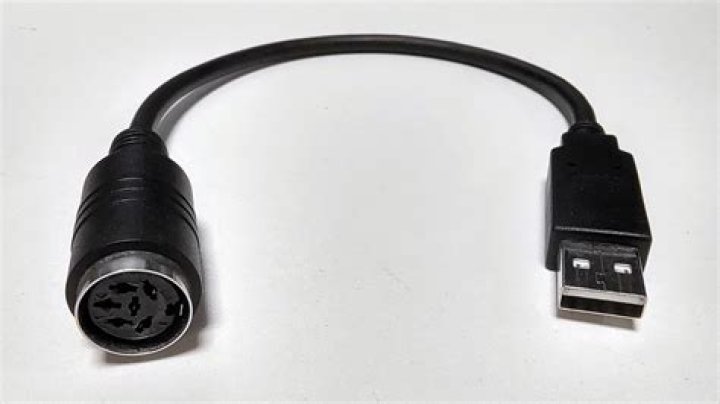
I have an old keyboard with a DIN 5 connector, and I noticed that the wiring on a DIN 5 connector is basically identical to the USB based 4 contact wiring.
Can I just blindly wire a DIN 5 (starting from the PCB) to an USB male connector to use my keyboard as if it was an USB one?
2 Answers
Nope. USB uses a different protocol.
What you can do is use two convertors.
- DIN5 to PS2, and
- An active PS2 to USB convertor (not just a plug. Something which actively reads the signals on the wires, understands them and translates them).
Alternative one single device from DIN 5 to USB might exist, but there are a lot of years between those standards and even if one existed it might be very rare and or every expensive.
1There are three different signalling methods which have historically been used on PC keyboards. The first two used a 5-pin DIN connector and were electrically very similar, but used incompatible keyboards. Historically, keyboards with 5-pin DIN connectors often had a switch labeled "XT/AT" to select between the two methods.
When IBM introduced the PS/2 line of computers, they wanted to imitate the Macintosh SE and Macintosh II which used the same style of connector for keyboard and mouse. Unlike the Macintosh where the keyboard and mouse share the wires used for signalling, IBM introduced a six-pin connector which used power, ground, two wires for keyboard signalling, and two independent wires for mouse signalling. Before the PS/2, mice generally plugged into a serial port, using a method of signalling different from that used by the PS/2.
To avoid having to make separate mice for PS/2 and non-PS/2 systems, mouse manufacturers figured out a way that a mouse with four wires could have those wires attached to either a serial-port connector or a PS/2 connector, figure out by the voltages on those wires which style of connector was installed, and then generate the signalling appropriate for that connector. Additionally, many companies sold PS/2-to-serial-port adapters or serial-to-PS/2 adapters which would allow a mouse which was wired with one kind of plug but was electrically capable of handling either standard to be used with the other kind of equipment.
Later, USB became popular as a signalling standard for use with keyboards; as before, some companies made keyboard which could be wired to a USB plug or a PS/2 connector and automatically determine whether it needed to generate USB or PS/2 signals, along with adapters that would allow keyboards that were electrically capable of handling either standard to be used with both kinds of equipment.
An important thing to note about most adapters between PS/2 and DIN connectors, or between PS/2 and USB, is that they generally do nothing more than connect the PS/2 pins that would be attached to certain wires on a PS/2 keyboard to the pins that would be attached to the same wires on a USB keyboard. Such adapters will thus only work if keyboards have been designed to work with them. Although newer keyboards are designed to work with such adapters, the vast majority of keyboards that have been manufactured with a DIN plug were built before USB was invented, and would thus be electronically incapable of supporting it. It is electrically not difficult to construct an adapter which would communicate with an AT-style (or even XT-style) keyboard and behave like a USB keyboard which reported its key state as matching that of the attached AT-style keyboard, but there isn't a huge demand for such devices and thus they are something of a specialty item.


