Detect and recover corrupted file
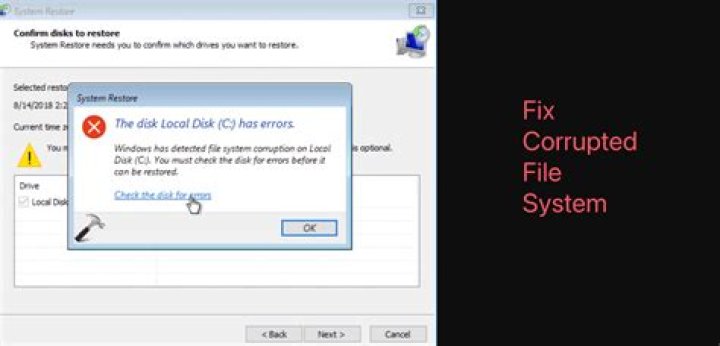
We have an application that works on a dedicated machine (running Windows Embedded on a NTFS disk) in a factory. On rare occasions a "corrupted file" stops the software from operating. Deleting the corrupted file resolves the issue...but any data in the file is lost.
So far, reproducing this problem in the lab has proved impossible. We've finally managed to get back a PC that demonstrates the problem. So far, all known instances of the "corrupted file" has been an INI file that our software uses. When I attempt to view the file (in Notepad), the following error is displayed:
Attempting to copy the file in Windows Explorer for offline analysis results in this error message:
The attributes of the file look normal in a command prompt. Trying to copy the file manually withcopy mStats.ini D:, generates this error:
Loading Windows into Safe Mode does not help (file still corrupted and unrecoverable). This appears to point to a corrupted entry in the Windows NTFS Master File Table (MFT). The rest of the system appears to be unaffected. Deleting the file allows full recovery.
- What could be causing this to happen?
- Can the data be recovered or the MFT corrected?
- Is it possible to reproduce this type of problem (either in software or manually)?
- Is there any general advice for reading/writing files to guarantee this sort of thing does not happen?
UPDATE 1
Based on the suggestion here I ran chkdsk C: /V from the command prompt which returned:
\PATH\mStats.ini
Windows found errors on the disk, but will not fix them
because disk checking was run without the /F (fix) parameter.
\PATH\mStats.ini first allocation unit is not valid. The entry will be truncated.
\PATH\mStats__.ini
\PATH\mStats__.ini first allocation unit is not valid. The entry will be truncated.
The files are still corrupted. I'm busy re-running the command with the /F flag.
UPDATE 2
After running chkdsk with the /F flag, the files are now fixed. This isn't actually the good news it sounds because now I don't have a computer with the corrupted files on it! In the Windows > Applications event log the following entry appears:
\PATH\mStats.ini first allocation unit is not valid. The entry will be truncated.
\PATH\mStats__.ini first allocation unit is not valid. The entry will be truncated.
There were also about a dozen other files (mostly in the Temporary Internet Files folder) which had the same problem.
1 Answer
Without the ability to extensively test and reproduce the problem, any suggestions would be mere speculation.
However, it definitely sounds like a software problem. If it was a hardware issue, such as the hard disk or memory, the fact that it is the only one individual file that gets corrupted is statistically extremely low. Still, it wouldnt hurt to check the hardware. Run memtest86 to test the machines memory for faults. Also, run scandisk on the hard drive and check for errors. Even better, would be to replace the hard drive with a solid state disk, in case vibrations in the factory are causing the error.
Try opening the corrupted file with a hex editor, like this one. Check and see if any of the data is readable and recoverable. As a safety measure, created a script or use a program that backs that file up with a frequency you find acceptable.
In the end, I would talk to the manufacturer of the software, as it sounds like the program is writing corrupted data to the file, thereby making it unreadable.
1

