Dell Wireless 5808 Gobi 4G LTE (Sierra Wireless MC7355) not connecting in Ubuntu 19.10
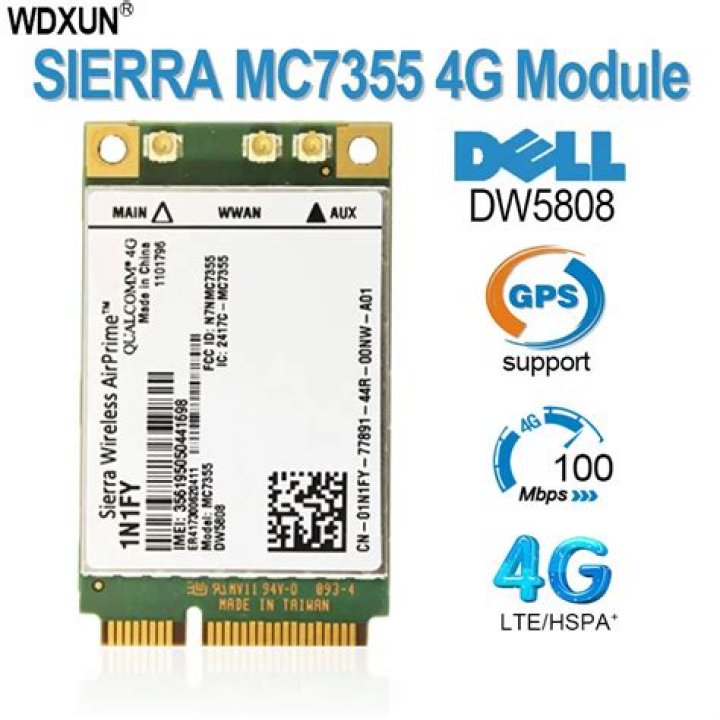
I've recently bought a Dell XFR E6420 with a Dell Wireless 5808 Gobi 4G LTE modem.
It works fine in Windows, but under Ubuntu 19.10 it won't connect at all. It gets recognized, but won't connect to the network. Can't even find any GSM networks at all.
Output of mmcli --modem 0:
----------------------------- General | dbus path: /org/freedesktop/ModemManager1/Modem/0 | device id: 9f3844ddd707503ae5d59d6334db353808513e0f ----------------------------- Hardware | manufacturer: Sierra Wireless, Incorporated | model: Dell Wireless 5808 Gobi™ 4G LTE Mobile Broadband Card | firmware revision: SWI9X15C_05.05.42.00 | h/w revision: MC7355 | supported: gsm-umts, lte | cdma-evdo, lte | lte | cdma-evdo, gsm-umts, lte | current: cdma-evdo, gsm-umts, lte | equipment id: 356195050941283 ----------------------------- System | device: /sys/devices/pci0000:00/0000:00:1d.0/usb2/2-1/2-1.6 | drivers: cdc_mbim | plugin: Dell | primary port: cdc-wdm3 | ports: wwp0s29u1u6i12 (net), cdc-wdm3 (mbim) ----------------------------- Numbers | own: 40729666376 ----------------------------- Status | unlock retries: sim-pin2 (3) | state: searching | power state: on | signal quality: 0% (cached) ----------------------------- Modes | supported: allowed: 2g; preferred: none | allowed: 3g; preferred: none | allowed: 2g, 3g; preferred: 3g | allowed: 2g, 3g; preferred: 2g | allowed: 2g, 4g; preferred: 4g | allowed: 2g, 4g; preferred: 2g | allowed: 3g, 4g; preferred: 3g | allowed: 3g, 4g; preferred: 4g | allowed: 2g, 3g, 4g; preferred: 4g | allowed: 2g, 3g, 4g; preferred: 3g | allowed: 2g, 3g, 4g; preferred: 2g | current: allowed: 2g, 3g, 4g; preferred: 3g ----------------------------- Bands | supported: egsm, dcs, pcs, g850, utran-1, utran-4, utran-5, utran-8, | utran-2, eutran-2, eutran-4, eutran-5, eutran-13, eutran-17, | eutran-25, cdma-bc0, cdma-bc1, cdma-bc10 | current: egsm, dcs, pcs, g850, utran-1, utran-4, utran-5, utran-8, | utran-2, eutran-2, eutran-4, eutran-5, eutran-13, eutran-17, | eutran-25, cdma-bc0, cdma-bc1, cdma-bc10 ----------------------------- IP | supported: ipv4, ipv6, ipv4v6 ----------------------------- 3GPP | imei: 356195050941283 | enabled locks: fixed-dialing | registration: searching ----------------------------- SIM | dbus path: /org/freedesktop/ModemManager1/SIM/0And mmcli -m 0 --simple-connect="apn=live.vodafone.ro" just tells me that error: couldn't connect the modem: 'Timeout was reached'.
I've read that it might be a firmware bug? Something to do with the modem sleeping, but I can't for the life of me figure it out.
1 Answer
Looks like I've got it resolved by updating the card's firmware to the latest version. Everything works fine now.
Make sure you select the correct carrier.
As a side note, I recommend doing this update from Windows if you can, the process is much more painless.


