decrypting EFS encrypted files on windows 10
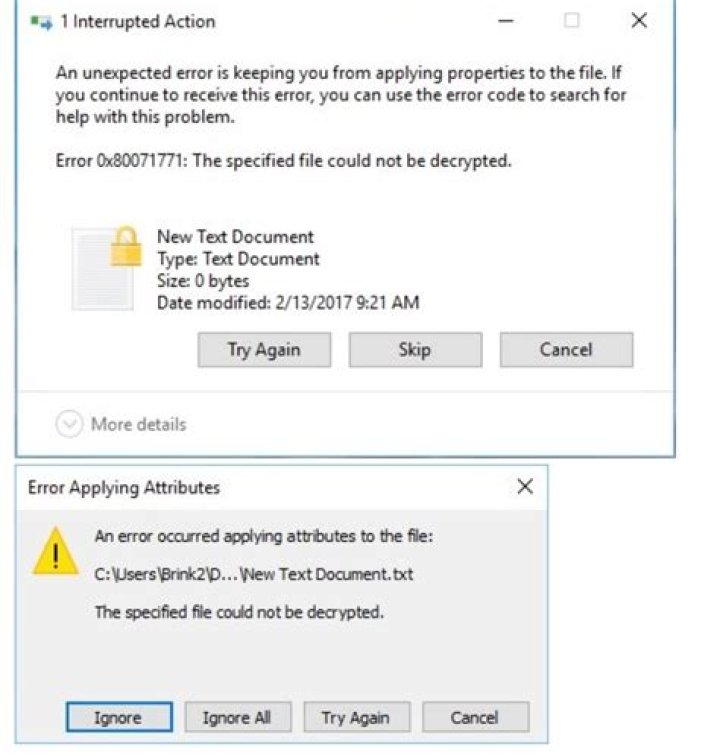
I have encrypted a folder in my external hard disk consisting sub folders and my personal images and videos on my windows 10, i have no knowledge of taking a backup of key or certificate and formatted my laptop and upgraded to newest windows 10, now i when i see my folder in hard disk they are showing with lock symbols, when i try to open those images its showing invalid image, now how can i decrypt them without having key or certificate, i tried inbuilt decryption ( right click and uncheck protection, its showing that the specified file couldn't be decrypted I'm not able to copy also, tried so many methods like changing ownership in context menu, and in command prompt, but failed please help me out
2 Answers
I have encrypted a folder in my external hard disk consisting sub folders and my personal images and videos on my windows 10, i have no knowledge of taking a backup of key or certificate, and formatted my laptop and upgraded to newest windows 10.
If you do not have a copy of the certificate used to encrypt the data, the data itself, cannot be recovered. It is worth pointing out the fact, when you enabled EFS within Windows, you are prompted to backup the certificate that is created. Due to the complexity of the encryption used by Windows, there is no realistic method, to decrypt the data without the certificate.
how can i decrypt them without having key or certificate
What you want is not possible.
its showing that the specified file couldn't be decrypted I'm not able to copy also, tried so many methods like changing ownership in context menu, and in command prompt, but failed please help me out
This is by design, the file is encrypted, without the certificate used to encrypt the data it is not possible to recover the data.
I was the administrator while encrypting, why can't i create or request for new key or certificate
The files were encrypted with a specific certificate. The creation of the certificate is only performed on the machine itself.
This certificate only existed in the user's certificate store. When you reinstalled Windows, without exporting this certificate, you made it impossible to decrypt the data encrypted by this certificate. You indicated you did not export or backup this certificate. There is absolutely no way to decrypt your files without this certificate.
I heard that if i install Kali or Ubuntu alongside windows, I can access them, is it true?
This is absolutely false. The files are encrypted. The only way to access the files at this point is with the certificate, that was used to encrypt them, if you don't have the certificate you will be unable to decrypt the files in order to access them. There is absolutely no software that runs on Kali or Ubuntu that would be able to decrypt the files without the certificate used to encrypt the files. Anyone that claims otherwise is selling you snake oil and should not be trusted.
0how can i decrypt them without having key or certificate
You cannot. That's the whole point of encryption keys.
EFS certificates aren't just disposable badges to prove that you're the owner – the actual key data is used during file encryption, meaning that the exact same key has to be used for decryption. If the information contained within that key is lost, there is no "backdoor".
If you still had the old OS files (the 'Users' and 'Windows' directories), then you could use various tools to extract the certificate and key from the old system. However, you mentioned that you've "formatted' the disk, so the required information is lost.
If this were an Active Directory managed computer, then there would be a possibility that the domain admin had enabled an EFS "Recovery agent" certificate across the entire domain. But in your case this doesn't sound like an AD-managed system at all.
if its like i created my own ransomware, can't i remove it, i mean using any 3rd party software
No. Those ransomware removal tools only work when the ransomware forgets to erase the key it used (or if it generates the key in a way that allows guessing). Because you did erase the key, such tools have nothing to work on.
4

