Connect MySQL Workbench to WSL2
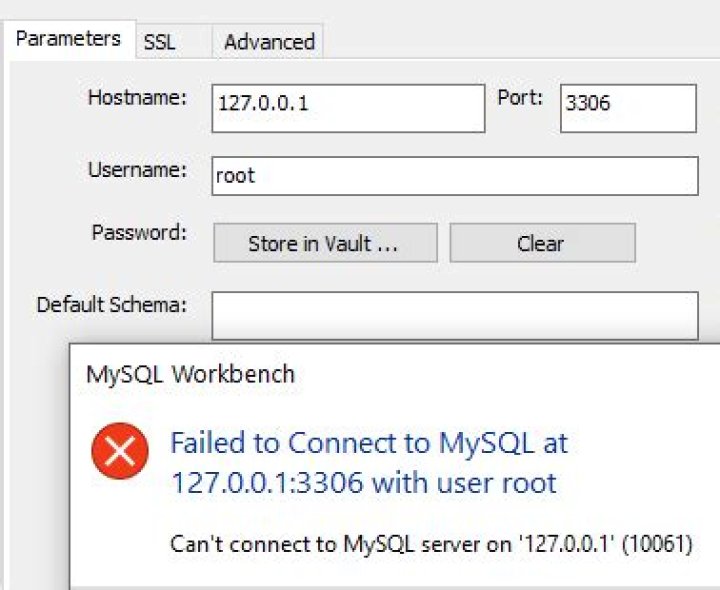
I have a brand new WSL2, running on the latest Windows 10 (2004) with Ubuntu 20.04, MySQL installed, I can access it from Bash and get the status --
mysql> status
--------------
mysql Ver 8.0.20-0ubuntu0.20.04.1 for Linux on x86_64 ((Ubuntu))
Connection id: 10
Current database:
Current user: root@localhost
SSL: Not in use
Current pager: stdout
Using outfile: ''
Using delimiter: ;
Server version: 8.0.20-0ubuntu0.20.04.1 (Ubuntu)
Protocol version: 10
Connection: Localhost via UNIX socket
Server characterset: utf8mb4
Db characterset: utf8mb4
Client characterset: utf8mb4
Conn. characterset: utf8mb4
UNIX socket: /var/run/mysqld/mysqld.sock
Binary data as: Hexadecimal
Uptime: 13 sec
Next I want to connect with MySQL Workbench. All I ever get is
Your connection failed for user 'root' to the MySQL server at 127.0.0.1:3306
Access denied for user 'root'@'localhost'
My WSL2 list is ---
PS C:\Users\gymdo> wsl -l -v NAME STATE VERSION
* Ubuntu-20.04 Running 2
My WSL2 info is ---
Installation successful!
To run a command as administrator (user "root"), use "sudo <command>".
See "man sudo_root" for details.
Welcome to Ubuntu 20.04 LTS (GNU/Linux 4.19.104-microsoft-standard x86_64) * Documentation: * Management: * Support: System information as of Sat Jun 13 02:35:32 EDT 2020 System load: 1.97 Processes: 8 Usage of /: 0.4% of 250.98GB Users logged in: 0 Memory usage: 0% IPv4 address for eth0: 172.20.109.28 Swap usage: 0%
0 updates can be installed immediately.
0 of these updates are security updates.
I have tried using the 172.20.109.28 from above --- same error
Looking at it from the Windows side with ---
Ethernet adapter vEthernet (WSL): Connection-specific DNS Suffix . : Link-local IPv6 Address . . . . . : fe80::c54a:f83c:a5f8:40b2%43 IPv4 Address. . . . . . . . . . . : 172.20.96.1 Subnet Mask . . . . . . . . . . . : 255.255.240.0 Default Gateway . . . . . . . . . :I have tried using the 172.20.96.1 from above --- same error
One strange thing is --- when I try user name of root@localhost instead of simply root, the workbench pops up the "enter password" popup. So excited I was, but when I leave the password field blank it still fails with password: NO
I'm a beaten down man --- I need help.
43 Answers
I had the same problem with WSL 2 MySQL-Server; I fixed it by replacing 127.0.0.1 in the config of workbench connection with localhost.
127.0.0.1 config
Localhost config
I hope it will be useful for someone!
1After some more searching I found hints that I may need to GRANT access. From inside the WSL2 box I added a new user and GRANTed access.
mysql> CREATE USER 'newguy'@'localhost' IDENTIFIED BY 'ratfink';
Query OK, 0 rows affected (0.02 sec)
mysql> GRANT ALL ON mysql.* TO 'newguy'@'localhost';
Query OK, 0 rows affected (0.01 sec)
Check the examples down the page here.
I am now able to connect via MySQL Workbench with user: newguy and password: ratfink from MySQL Workbench. I have not been able to GRANT access to root. I even tried removing root as a user and re-adding root without success. Shouldn't mess with Mother Nature I guess.
1The problem is how the root user is authenticated. By default this is set to use auth_socket instead of mysql_native_password.
Log into the mysql server in wsl as root user and run:
mysql > SELECT user, authentication_string, plugin, host FROM mysql.user;The output will list the authentication method for each user.
Now change the method for the root user with the following command:
mysql > ALTER USER 'root'@'localhost' IDENTIFIED WITH mysql_native_password BY 'password';Make sure to change 'password' to the correct password for the root user.
Now run command to update changes:
mysql > FLUSH PRIVILEGES;Now run the command again to make sure the authentication method updated:
mysql > SELECT user, authentication_string, plugin, host FROM mysql.user;Now the output should show that the authentication method for the root user is with mysql_native_password. You should now be able to log into workbench as root user using the password.
1

