Confirm system dialogs solely by U2F device
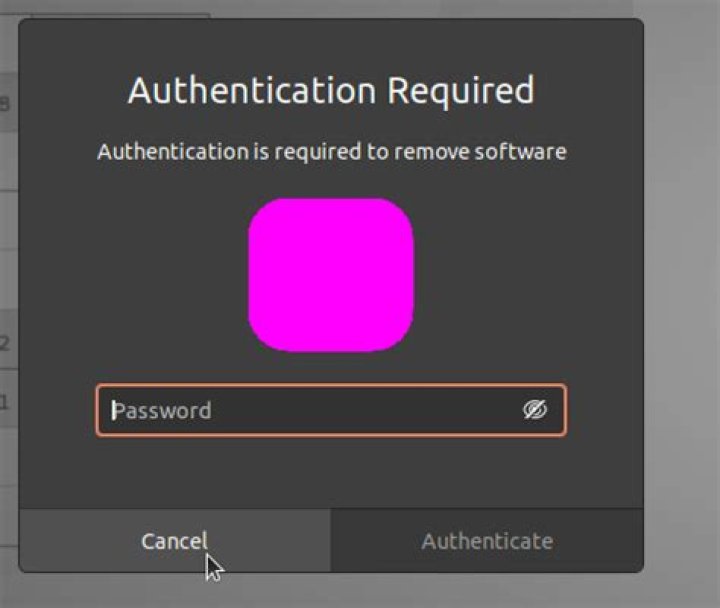
I have enabled U2F device authentication for PAM on my Ubuntu 20.04. I have used this approach and put configuration into "/etc/pam.d/common-auth". Everything works as expected so I can log in via password AND U2F device touch.
Now I would like to avoid typing password once I am already logged into my account. (I always lock my computer when I leave it and take U2F token with me.)
For sudo I have added into "/etc/pam.d/sudo" line (above line @include common-auth):
auth sufficient pam_u2f.so authfile=/etc/u2f_mappings cueAfter that change, I can confirm sudo just by pressing U2F button. Great.
Is there a way how to achieve the same with system dialogs asking for password? I mean this dialog that appears when I try to install package via Ubuntu Software:
System should keep asking for password + U2F touch during log in.
12 Answers
I accidentally figured this out from your article, and from @raj's comment! Open up /etc/pam.d/polkit-1. After the @include's, add this line:
session required pam_u2f.so authfile=/etc/u2f_mappings cueThank you for your wonderful article! I'm using my generic U2F key for everything now.
1It was basically simple. Based on raj's answer I put:
auth sufficient pam_u2f.so authfile=/etc/u2f_mappings cueIn front of "@include" section of /etc/pam.d/polkit-1. And now I am required to enter password only on lock/login screen. Once I am logged in, I only press button on donge.
This topic is complex. Please read or similar article before you start experimens!


