CHKDSK doesn't complete, can't clear dirty bit
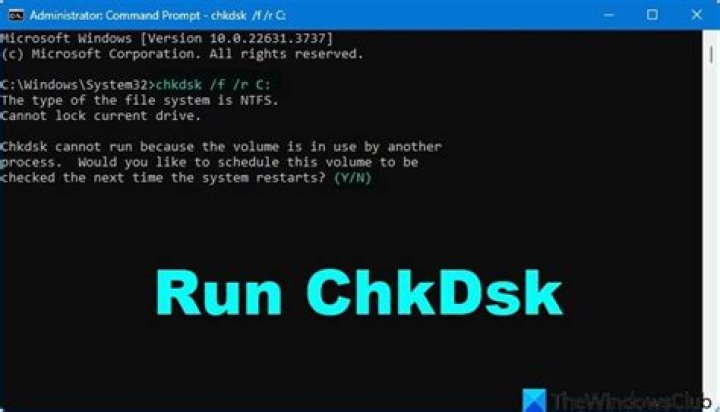
At some unknown point, the dirty bit on my C: was set (verified with fsutil), and now chkdsk runs on every boot. However, it always aborts at ~51%, preventing the dirty bit from being turned off. I booted into the Recovery Console and tried almost every chkdsk recovery option (/f, /r, /b), and they all fail some way through. From what I have gathered, this implies that there are sectors that are bad in ways that chkdsk doesn't handle (although those details are obviously unclear).
I tried a Hail Mary suggestion from another site: back up an image of the drive, format, restore the image, but that was ineffective...I used Acronis Backup & Restore, and I suspect it's restoring the problematic sector as well.
I don't think the drive is bad or is going bad. It's a fairly new Crucial mSATA SSD. Best guess, something like a power blip caused the corrupted sector. Otherwise, there are no problems, and everything runs fine.
Any suggestions on what to try next? Since I've successfully round-tripped my backup image, I'd be willing to try just about anything.
Edit: FYI, this is the chkdsk output using any of the repair options:
Stage 2: Examining file name linkage ...
Correcting error in index $130 for file 203615.
An unspecified error occurred (766f6c756d652e63 461).
That's where it ends, and punts me back to the command prompt. I also tried the suggestions I have seen for this error - run Dism and/or sfc - but neither worked.
4 Answers
You should first ensure you have a good backup. Then you should check Crucial's site for any firmware update for your specific drive model which addresses these issues. Also I would recommend running a drive testing utility (manufacturers sometimes provide these but I couldn't find one for the Crucial SSDs) which tests every sector on the physical drive.(for example, Western Digital has their free Data Lifeguard software for testing drives). Don't depend on chkdsk to do this. I would lean toward a failing drive. Again, backup, backup, backup!
6Most formatting tools seem to reuse the bad sectors. I found that the Windows XP formatting tool was the only one that would reallocate the bad sectors and replace them with healthy ones. I can't remember if I used UBCD4WIN (Ultimate Boot CD for Windows) or a Windows XP disc, but both contain the same formatting tool. The drive lasted a few more months before needing to be formatted again, after which it only lasted a few more weeks and reformats before it died completely, so this solution is only temporary.
Long story short: Use the Windows XP formatting tool, either with UBCD4WIN or a WinXP install disc, this will quarantine the bad sectors instead of reusing them, then restore your backup. Make sure not to format again with another tool or it will release and reuse the bad sectors.
5The solution is simple.
Do a search on the hard drive for AUTOCHK.EXE and rename all instances of it to AUTOCHK1.EXE
You will be able to boot up the computer, get access to your programs and data and email, and fix your problems.
AUTOCHK.EXE looks like CHKDSK.EXE but is the version invoked by Windows on boot up.
2Unfortunately, I was never able to repair the drive using any disk tools. I had to bite the bullet, format, reinstall Windows and all my applications. This seems like a very bad, albeit rare, edge case with the Windows filesystem.


