Changing NumPad keycodes to non-NumPad countertypes?
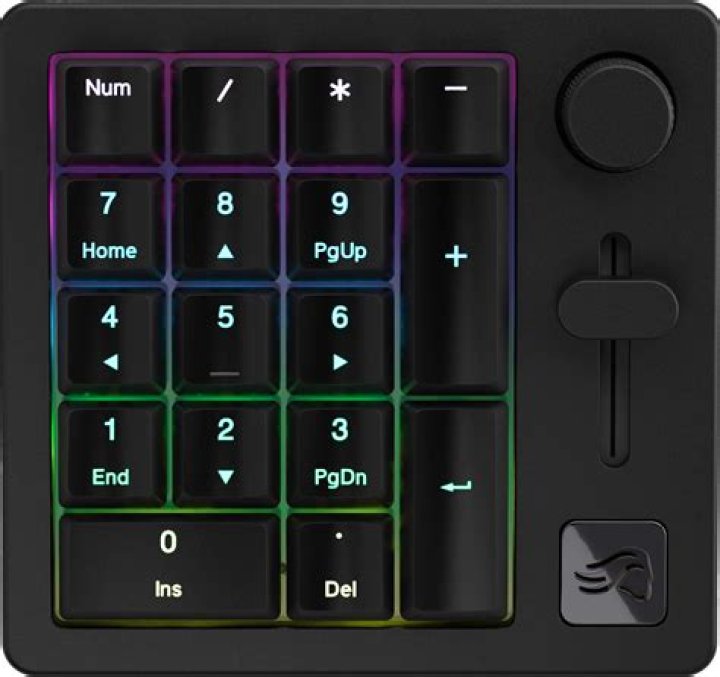
I have an external keyboard to my laptop which has a NumPad. I want to be able to use both the external keyboard and the built-in keyboard in the same way. However, because the keycodes for the NumPad's Home, End, PgUp, PgDn, etc. are different from those of the keys devoted solely to those functions on the laptop keyboard, I can't make keyboard shortcuts that work for both keyboards. For example, Super+PgDn for moving a workspace down is different from Super+PgDn (NumPad), so I have to choose one or the other in assigning my shortcuts. I still want to be able to use the numbers on the NumPad with NumLock turned on, but I haven't been able to make this work. I tried making changes through xmodmap by turning this line of the map:
keycode 81 = KP_Prior KP_9 KP_Prior KP_9into this:
keycode 81 = Prior 9 Prior 9 but then I couldn't use my numbers on the NumPad anymore when NumLock was turned on.
Any suggestions for things I could try? Is what I want even possible, or should I just accept my defeat and buy a new external keyboard? I sadly wasn't able to find anyone with the same problem as me anywhere.
(Another, related, problem: Shift+Home (NumPad) for some reason becomes Shift+7 (NumPad) through this external keyboard; Shift acts basically like a Num Lock, which I don't want either. I'd like to be able to use Shift+Home as a keyboard shortcut, for example.)
3 Reset to default

