Cannot see output of command prompt anymore (Windows 10)
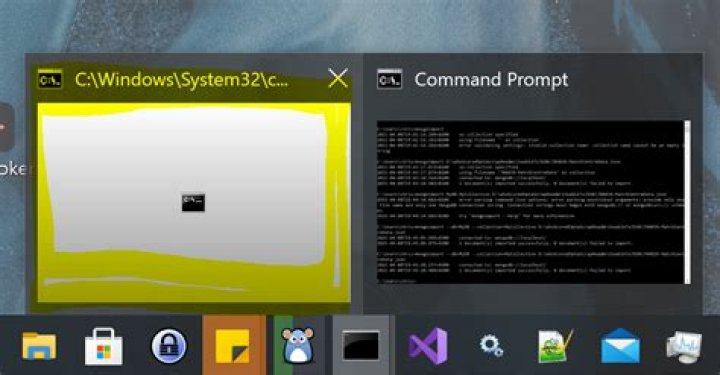
I have a fairly long-running process running in a windows command prompt.
About an hour ago, the command prompt window stopped "displaying" anything (left window, marked in yellow in screenshot). The process is still running, but I cannot see any of its output. I know the process is still running because it is still writing to a logfile. When I click the command prompt marked in yellow in the screenshot, nothing happens.
Is there any way to help windows display the output in this command prompt again, without restarting the process?
61 Answer
In my case, I was able to solve this issue by resetting the buffer size of the command prompt.
Right-click on the command prompt and select properties. In there, change the buffer size (I changed it to 1 in my case).
Select OK, and it worked in my case. Went back in and changed it back to 50 after.


