Cannot download the information you requested: Office PowerPoint, Word, Excel
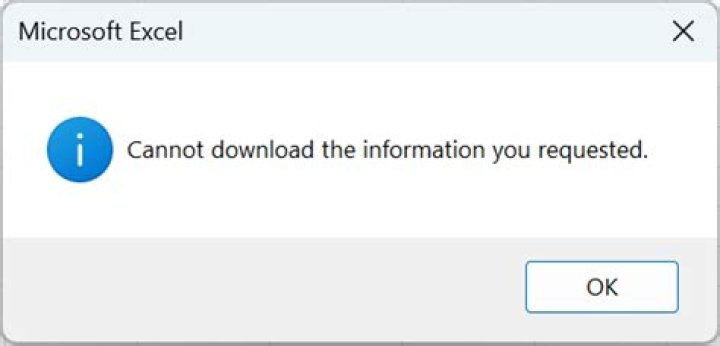
I have a hyperlink and when put into MS Office programs the error
Unable to open http.://... . Cannot download the information you requested.
will occur and the link will not be displayed. The link works for example from within lotus notes or pasting directly into the browser window. (can't provide it, intranet application).
I googled the issue but the common solutions like untick work offline (it is already) don't work and it is an http request not https so does also not apply.
Is there any solution for this?
3 Answers
I have been researching a similar problem. I get the "Cannot download the information you requested" error message when hyperlinking to a secure, non-caching, login page using PowerPoint 2016. In my case, PowerPoint pops up an authentication window and crashes instead of opening my default browser with the URL.
The problem seems to be related to how Office Products open hyperlinks, as noted in this comment. Apparently, they route the initial request through Internet Explorer regardless of your default browser.
You can work around this by hyperlinking to a .bat file that opens the link instead. Open a text editor and create the following .bat file:
@echo off
REM Office fails to open Hyperlinks
REM This .bat file can do it though
REM See for details
start "" ""
The only downside to this solution is having to click Enable on a security warning.
If this isn't your style Microsoft has a documented solution:
- Modify the registry using the easy fix from the linked Microsoft troubleshooting page
To have us work around this problem for you, go to the "Here's an easy fix" section.
- Modify the registry manually using the instructions from the linked Microsoft troubleshooting page
To work around this issue, either add the ForceShellExecute subkey, if it is not present, and set the Value data, or if it is present, set the Valuedata of the ForceShellExecute subkey.
As said Julian, this issue occurs intermittently and the definitive solution is proposed by Microsoft here.
You may also see the detailed solution in this other SuperUser question, which was specifically for Microsoft Word, but it also applies to Excel, PowerPoint and Outlook (as explained by Microsoft).
I had the error
runtime error -2146697208 (800c0008) cannot download the information you requested
when calling a hyperlink from vba using
ThisWorkbook.FollowHyperlink Address:=urlStringAnnoyingly, the error was only displayed when calling the command from the direct window, it wouldn't show up from a sub. As Sandra Rossi pointed out, Microsoft proposes a registry change to work around. Highly impractical for me. What worked for me was instead using
CreateObject("Shell.Application").ShellExecute "microsoft-edge:" & urlStringOne could also call chrome or any other browser but edge is the easiest call when the same document is used on different machines. See here.


