Can't ping service inside Docker container from the host machine
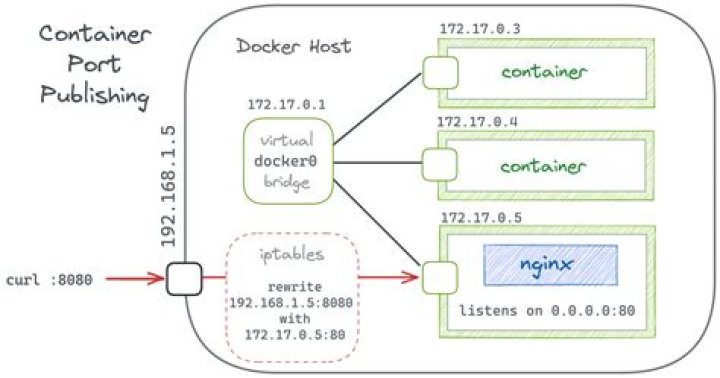
I'm running a container via docker-compose on Ubuntu 20.04, and I can't ping or curl the web server that's running inside from the host machine that's running docker.
I've given the container a static IP, and if I open a shell in the container I can see the service running fine and curl it as expected.
My docker-compose.yml looks like this:
version: "2.1"
services: container: image: imagename container_name: container networks: net: ipv4_address: 172.20.0.5 environment: - PUID=1000 - PGID=1000 - TZ=Europe/London ports: - 9000:9000 restart: unless-stopped
networks: net: driver: bridge ipam: config: - subnet: 172.20.0.0/16 gateway: 172.20.0.1
But if I curl -v 172.20.0.5:9000 from the same machine, I get
* Trying 172.20.0.5:9000...
* TCP_NODELAY set
* connect to 172.20.0.5 port 9000 failed: No route to host
* Failed to connect to 172.20.0.5 port 9000: No route to host
* Closing connection 0
curl: (7) Failed to connect to 172.20.0.5 port 9000: No route to host
My best guess is something to do with iptables or firewall rules? I've not changed those at all from the default Docker set up. With host network mode it does work, but exposes the 9000 port publicly. I want to have it only accessible locally and then set it up behind a reverse proxy. Thanks.


