Can't delete items from trash on additional harddrive.
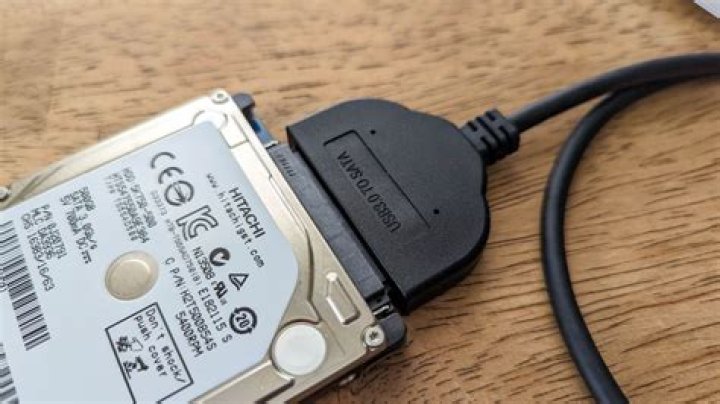
I have added an extra hard-drive to my computer (I only have Ubuntu 16.04.2 LTS on the machine) and formatted it as ext3/ext4. I can delete file from the drive but I can't delete the files from trash so I can't free up space on the drive.
When I try delete from the trash I just get the error message: "Error while deleting ... Failed to delete the item from the trash."
I don't know if I did something wrong when I formatted the drive or what? but I don't really want to have to reformat the drive every time I need to free up space on the drive.
Any help would be appreciated
21 Answer
Sorry for the late reply. I just ran into this myself.
I have Ubuntu 16.04 and USB drives of various types: EXT4 SSD in a cheap USB enclosure; ExFat(?) Samsung T1; VFAT SanDisk thumb drives.
I found that when I delete files in the GUI, they go into a .Trash-1000 directory on that removable drive. When the trash is emptied, the file contents of .Trash-1000 are removed (the empty .Trash-1000 directory structure remains).
If you can't empty the trash using the GUI (as described in the OP's post) you can simply delete that .Trash-1000 directory and the next time you delete a file with the GUI empty trash should work once again.
Example:
root@thinkPad:~# df
Filesystem 1K-blocks Used Available Use% Mounted on
udev 3513316 0 3513316 0% /dev
tmpfs 706844 9676 697168 2% /run
/dev/mapper/vg-root 515930552 417191728 77500580 85% /
tmpfs 3534200 23116 3511084 1% /dev/shm
tmpfs 5120 4 5116 1% /run/lock
tmpfs 3534200 0 3534200 0% /sys/fs/cgroup
/dev/sda2 264676 32924 231752 13% /boot/efi
cgmfs 100 0 100 0% /run/cgmanager/fs
tmpfs 706844 96 706748 1% /run/user/1000
/dev/sdb1 121277504 141024 121136480 1% /media/tommy/SAN128G1
root@thinkPad:~# mount | grep SAN128
/dev/sdb1 on /media/tommy/SAN128G1 type vfat (rw,nosuid,nodev,relatime,uid=1000,gid=1000,fmask=0022,dmask=0022,codepage=437,iocharset=iso8859-1,shortname=mixed,showexec,utf8,flush,errors=remount-ro,uhelper=udisks2)
root@thinkPad:~# cd /media/tommy/SAN128G1
root@thinkPad:/media/tommy/SAN128G1# ls -l
total 65668
drwxr-xr-x 5 tommy tommy 32768 Dec 15 08:30 ./
drwxr-x---+ 3 root root 4096 Dec 15 08:13 ../
drwxr-xr-x 2 tommy tommy 32768 Sep 3 06:05 bin/
drwxr-xr-x 3 tommy tommy 32768 Dec 31 2011 DCIM/
drwxr-xr-x 6 tommy tommy 32768 Aug 16 17:24 Share/
-rw-r--r-- 1 tommy tommy 67108864 Sep 11 11:01 swapfile
Then I deleted bin/ share/ and swapfile using the GUI. It moves them to within .Trash-1000.
root@thinkPad:/media/tommy/SAN128G1# ls -l
total 100
drwxr-xr-x 4 tommy tommy 32768 Dec 15 08:31 ./
drwxr-x---+ 3 root root 4096 Dec 15 08:13 ../
drwxr-xr-x 3 tommy tommy 32768 Dec 31 2011 DCIM/
drwxr-xr-x 4 tommy tommy 32768 Dec 15 08:31 .Trash-1000/
Emptying the trash deletes the actual files (as mentioned earlier, the .Trash-1000 directory structure remains, I guess for future use).
But you can delete the entire .Trash-1000 directory and the GUI "moved to trash" files will be deleted, e.g.:
root@thinkPad:~# rm -rf /media/tommy/SAN128G1/.Trash-1000/This is, like "empty trash", non-reversible. Be careful typing! Empty trash using the GUI should work from this point forward.


