avahi: ping can't resolve hostname, but nslookup can
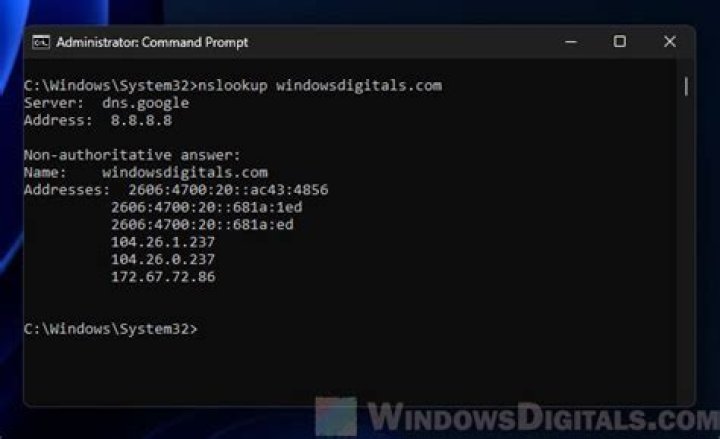
ping tells me that it can't resolve some hostname ("ping: unknown host domain.company.local") in a URL but when I use host or nslookup on the same computer on the command line, the resolutions works fine (i.e. it's fast and reliable).
What could be causing this?
More testing: Firefox, wget and ping have the same problem. Pinging the IP address works.
OS: Linux (Ubuntu 13.04)
EDIT My /etc/resolv.conf reads:
nameserver 127.0.1.1
search domain.company.local
netstat reports:
Proto Recv-Q Send-Q Local Address Foreign Address State PID/Program name
tcp 0 0 127.0.1.1:53 0.0.0.0:* LISTEN -
so something is running on this port (nslookup also reports it uses 127.0.1.1 as DNS server).
There is no /etc/*inetd.conf, so I'm not sure which application serves this port.
It seems that dnsmasq is used:
/usr/sbin/dnsmasq --no-resolv --keep-in-foreground --no-hosts --bind-interfaces --pid-file=/var/run/NetworkManager/dnsmasq.pid --listen-address=127.0.1.1 --conf-file=/var/run/NetworkManager/dnsmasq.conf --cache-size=0 --proxy-dnssec --enable-dbus=org.freedesktop.NetworkManager.dnsmasq --conf-dir=/etc/NetworkManager/dnsmasq.dAll the config files and folders are empty. Since nslookup says it uses 127.0.1.1#53 my guess is that dnsmasq works even without a configuration. But how does it know which parent DNS to query?
EDIT2 Disabling dnsmasq as suggested by harrymc didn't help. So I ran strace ping which gave me this odd output (just the interesting parts):
open("/etc/host.conf", O_RDONLY|O_CLOEXEC) = 4
read(4, "127.0.0.1\tlocalhost\n#127.0.1.1\ta"..., 4096) = 613
...
open("/lib/libnss_mdns4_minimal.so.2", O_RDONLY|O_CLOEXEC) = 4
read(4, "\177ELF\2\1\1\0\0\0\0\0\0\0\0\0\3\0>\0\1\0\0\0\0\f\0\0\0\0\0\0"..., 832) = 832
...
mmap(NULL, 2105560, PROT_READ|PROT_EXEC, MAP_PRIVATE|MAP_DENYWRITE, 4, 0) = 0x7f7829b00000
...
socket(PF_FILE, SOCK_STREAM, 0) = 4
fcntl(4, F_GETFD) = 0
fcntl(4, F_SETFD, FD_CLOEXEC) = 0
connect(4, {sa_family=AF_FILE, path="/var/run/avahi-daemon/socket"}, 110) = 0
fcntl(4, F_GETFL) = 0x2 (flags O_RDWR)
fstat(4, {st_mode=S_IFSOCK|0777, st_size=0, ...}) = 0
mmap(NULL, 4096, PROT_READ|PROT_WRITE, MAP_PRIVATE|MAP_ANONYMOUS, -1, 0) = 0x7f782a4f8000
lseek(4, 0, SEEK_CUR) = -1 ESPIPE (Illegal seek)
write(4, "RESOLVE-HOSTNAME-IPV4 domain.com"..., 44) = 44
read(4, "-15 Timeout reached\n", 4096) = 20
So ping looks in /etc/hosts which makes sense. Then it loads and mmap()s /lib/libnss_mdns4_minimal.so.2 which makes sense as well.
But then it talks to avahi!?
Which led me to this forum post: ping doesn't make a dns request.
My /etc/nsswitch.conf also contains this line:
hosts: files mdns4_minimal [NOTFOUND=return] dns mdns4If I ping a working address, I see that the process also loads /lib/libnss_mdns4_minimal.so.2 but then, it does a DNS query via port 53.
So my guess is now that /lib/libnss_mdns4_minimal.so.2 is somehow noticing that the IP address ends with .local and not with .com and then the [NOTFOUND=return] is triggered.
How do I fix this?
169 Answers
As described in detail in this blog post, you need to edit /etc/avahi/avahi-daemon.conf:
[server]
domain-name=.alocal
This binds the daemon to the domain .alocal instead of the default .local.
and restart the daemon with:
sudo service avahi-daemon restartNote from the blog post:
You may need to flush the DNS,mDNS and resolver cache, as well as restart your web browsers to clear their internal cache.
After that, ping and nslookup started to agree.
Thanks to harrymc for getting me on the right track.
11Modifying /etc/nsswitch.conf and replacing:
hosts: files mdns4_minimal [NOTFOUND=return] dns mdns4by:
hosts: files dnsworked for me.
1Easy thing to do: Edit /etc/default/avahi-daemon
Change the line:
AVAHI_DAEMON_DETECT_LOCAL=1to
AVAHI_DAEMON_DETECT_LOCAL=0Restart the avahi-daemon, or kill it.
I don't like Avahi, and I don't use any of its features. If you want to truly disable avahi, modify /etc/init/avahi-daemon.conf, similar to the following:
start on (never and filesystem and started dbus)
stop on stopping dbusit seems .local address can't be access in ubuntu.
a solution is to edit /etc/nsswitch.conf and change this line :
hosts: files mdns4_minimal [NOTFOUND=return] dnsby this :
hosts: files dnsIf you are not doing connection sharing with other devices or VMs thru your computer, you could turn off dnsmasq in Network Manager.
Edit /etc/NetworkManager/NetworkManager.conf and comment the line (put a # in front of it) :
dns=dnsmasqThen do :
sudo restart network-managerThat will turn off the local resolver.
Source: DNS in Ubuntu 12.04.
1So my guess is now that /lib/libnss_mdns4_minimal.so.2 is somehow noticing that the IP address ends with .local and not with .com and then the [NOTFOUND=return] is triggered.
How do I fix this?
Pretty good guess, but the other answers are overkill. The simple solution is to remove the bit that is indeed triggered, i.e. remove just [NOTFOUND=return].
Removing it means that if mdns4_minimal returns NOTFOUND, the next entry on the resolver list is used. This is the normal behavior; [NOTFOUND=return] is an optimization to fail quicker on unknown names but it assumes all .local names are in mDNS.
I had an interesting case with the same symptoms (ping, mount etc. not working, but host, dig working). Check permissions on /etc/resolv.conf file. In my case, someone changed it and I did not have rights to read it (although cat /etc/resolv.conf and editing the file worked fine).
Anyway, strace was showing:
open("/etc/resolv.conf", O_RDONLY|O_CLOEXEC) = -1 EACCES (Permission denied)And as a result, it was trying to query localhost (127.0.0.1) instead of a IP of nameserver from the resolv.conf file:
socket(PF_INET, SOCK_DGRAM|SOCK_NONBLOCK, IPPROTO_IP) = 4
connect(4, {sa_family=AF_INET, sin_port=htons(53), sin_addr=inet_addr("127.0.0.1")}, 16) = 0
poll([{fd=4, events=POLLOUT}], 1, 0) = 1 ([{fd=4, revents=POLLOUT}])
And tcpdump was not showing any DNS traffic when pinging. All is working after a permission fix:
# chmod 644 /etc/resolv.conf
# ls -l /etc/resolv.conf
-rw-r--r-- 1 root root 111 Oct 3 09:54 /etc/resolv.conf
Another problem might be extended attributes of the file or any other access problem. In that case just delete the /etc/resolv.conf file and recreate it from the scratch.
1Another reason is the format of /etc/hosts. Make sure there are no spaces between IP and host name, instead use a TAB. After changing to TAB the host name could be resolved by ping.
127.0.0.1 test.local ^^^^^^^^ → Should be a TAB not multiple spaces.Setup avahi-daemon on Ubuntu for so you can reach hostname ubuntu.local from host OS
sudo apt-get install avahi-daemon avahi-discover avahi-utils libnss-mdns mdns-scan
1

