Asus X200M, Super Slow WiFi Connection with Realtek RTL8188EE
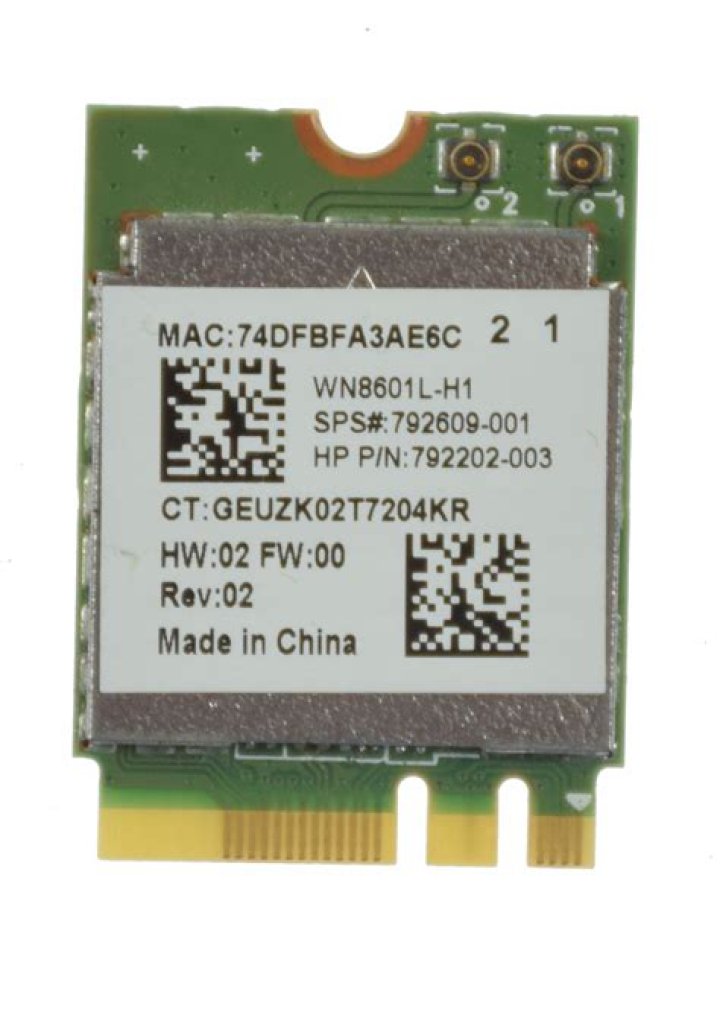
I just got this new Asus X200M laptop, dual-boot Windows 8 with Ubuntu. The problem is that I am having some wireless- internet issues when I log-on with Ubuntu. When I go to, , the results are following: Pint: 15ms Download Speed: 0.8-2.5Mbps (I have tries for a few times) Upload Speed: 3-6Mbps Also, I can't access to any public WiFi, both the one you enter password in network setting and in a browser. In contrast, when I use Win8, I get 40-50Mbps for both Download speed and Upload speed. Note, I haven't tried to use Wins8 access public WiFi.
Here are some information about my X200M:
 OS: Ubuntu 14.04 trusty (x86-64) Kernel: 3.16.0-43-generic
lspci
00:00.0 Host bridge: Intel Corporation ValleyView SSA-CUnit (rev 0e)
00:02.0 VGA compatible controller: Intel Corporation ValleyView Gen7 (rev 0e)
00:13.0 SATA controller: Intel Corporation ValleyView 6-Port SATA AHCI Controller (rev 0e)
00:1a.0 Encryption controller: Intel Corporation ValleyView SEC (rev 0e)
00:1b.0 Audio device: Intel Corporation ValleyView High Definition Audio Controller (rev 0e)
00:1c.0 PCI bridge: Intel Corporation ValleyView PCI Express Root Port (rev 0e)
00:1c.1 PCI bridge: Intel Corporation ValleyView PCI Express Root Port (rev 0e)
00:1c.3 PCI bridge: Intel Corporation ValleyView PCI Express Root Port (rev 0e)
00:1d.0 USB controller: Intel Corporation ValleyView USB Enhanced Host Controller (rev 0e)
00:1f.0 ISA bridge: Intel Corporation ValleyView Power Control Unit (rev 0e)
00:1f.3 SMBus: Intel Corporation ValleyView SMBus Controller (rev 0e)
02:00.0 Network controller: Realtek Semiconductor Co., Ltd. RTL8188EE Wireless Network Adapter (rev 01)
03:00.0 Unassigned class [ff00]: Realtek Semiconductor Co., Ltd. Device 5286 (rev 01)
03:00.2 Ethernet controller: Realtek Semiconductor Co., Ltd. RTL8101E/RTL8102E PCI Express Fast Ethernet controller (rev 06)
iwconfig
eth0 no wireless extensions.
wlan0 IEEE 802.11bgn ESSID:"gibe.de.wifi.b0ss" Mode:Managed Frequency:2.462 GHz Access Point: 20:25:64:F8:58:A0 Bit Rate=72.2 Mb/s Tx-Power=20 dBm Retry short limit:7 RTS thr=2347 B Fragment thr:off Power Management:off Link Quality=68/70 Signal level=-42 dBm Rx invalid nwid:0 Rx invalid crypt:0 Rx invalid frag:0 Tx excessive retries:0 Invalid misc:2789 Missed beacon:0
lo no wireless extensions.
I have tried many different methods. None of them works.
Thank you for any input, and if you want any info of my machine, please let me know, and please also tell me the command line for that. Thanks
31 Answer
If you did not upgrade to 14.10 yet, you can try another driver
sudo add-apt-repository ppa:hanipouspilot/rtlwifi
sudo apt-get update
sudo apt-get install rtlwifi-new-dkms linux-firmware

