Apache Alias Folder: 403 Access Forbidden
Ok, I have set up an alias on my apache server to point to a directory on a second HD. The Directory is /media/MediaServer/Videos.
The point of all this, is to stream videos from that folder, to my TV using Roku, and Roksbox. Everything worked fine when I kept my video files in my www folder...but I was running low on HD space..
Took me a while to get the damn thing to even look in the right place. Now it looks to the right folder...but gives me the 403 Access Forbidden error.
I am a bit of a noob at this stuff...so forgive me for lack on info. If I do not include something you need to see in order to help me, just let me know.
First: after following countless tutorials on how to set up the Alias...the only one that worked...was this:
Finally, after following that, I have the following .conf file:
Alias /Videos/ /media/MediaServer/Videos Options +Indexes FollowSymLinks +ExecCGI AllowOverride AuthConfig FileInfo Order allow,deny Allow from all
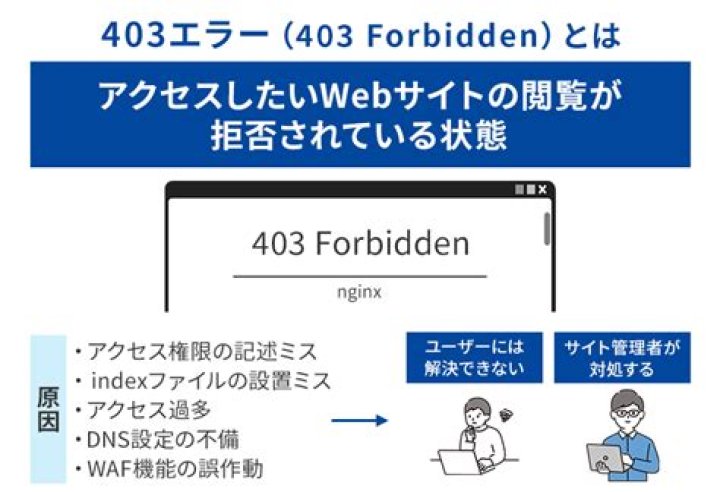
Now, when I type in localhost/Videos in my browser, it actually looks at the Videos folder (at least it appears too, compared to before when the best I could do was get it to tell me that www/Videos did not exist...) But it tells me "You don't have permission to access /Videos/ on this server."
I have tried changing the permissions on the Videos directory to 777, 775, 750, etc...nothing seems to work. Even tried to change the permissions to the /media directory (found a few forum topics that suggested that the parent directories needed full permissions as well.)
Nothing seems to work. Help! Please!
*UPDATE*
I opened a terminal and logged in as www-data (which is what the apache server uses) and am able to access the Videos folder...so...unless I am completely off here...that means it's not a permissions issue...
*UPDATE**SOLVED*
Ok...not sure why this worked...but here's what I did that works..
I went back into the Alias Conf file...and instead of pointing to /media/MediaServer/Videos, I pointed to /media/MediaServer
Now, all of a sudden, when I try to access localhost/Videos (which is no longer what should work...) it works...perfectly...Not sure what is going on...ut it works...and that is all that matters.
2 Answers
Have you tried using a Symbolic Link instead of an Alias?
In the Terminal:
ln -s /media/MediaServer/Videos /var/www/Videos
Then in your Apache config file you need to addOptions FollowSymLinks to the <Directory /> section, as seen here
This will create a symbolic link at /var/www/Videos that points to /media/MediaServer/Video. Basically the system will see the folder on 'MediaServer' as the contents of /var/www/Videos/.
More information about Symbolic Links can be found here and here. I use them with apache all the time, and never have any problems. Hope it helps.
1Have you tried to ensure that the user under Apache2 runs has permissions to access that directory?. Seems to me like a permission problem. Maybe is not 'media', not 'Videos' neither, and maybe the problem is in the middle. Let me explain better, with an example:
My test directory tree is /tmp/test/Videos/: /tmp => Permissions: 777 (plus sticky bit, as usual), test/ => Permissions: 700, Videos/ => Permissions: 755
Apache2 alias:
Alias /Videos/ "/tmp/test/Videos"
<Directory "/tmp/test/Videos">
Options Indexes FollowSymLinks
AllowOverride None
Order allow,deny
Allow from all
</Directory>
Try to access to
(note the last trailing slash), result: 403 forbidden
Change temp permissions to something that www-data (Apache2 user) can read (for example 755), result: 200 (success!)
I'll suggest you to checkout permissions carefully, and leave Apache2 with minimum directives (as in the previous example).
1