alias not working inside bash shell script
When I search for .bashrc files in my system I get:
/etc/bash.bashrc
/etc/skel/.bashrc
/root/.bashrc
/usr/share/base-files/dot.bashrc
I changed:
/etc/bash.bashrc
/root/.bashrc
I added the alias.
alias urldecode='python -c "import sys, urllib as ul; \ print ul.unquote_plus(sys.argv[1])"'
alias urlencode='python -c "import sys, urllib as ul; \ print ul.quote_plus(sys.argv[1])"'
When I run the command:
urlencode ' space'it works OK from the command line, but when I create an .sh file and put the same command there I get:
./tf.sh: line 19: urlencode: command not foundWhat is wrong?
Contents of tf.sh file:
IP=$(curl -d "tool=checurl"-X POST )
url='
path=$(grep -oP '(?<=get.py\?filetype=csv\&data=).*?(?=\")' <<< $IP)
pathfull="get.py?filetype=csv&data=$path"
full=$url$pathfull
#echo $full
urlencode '$full'3 Answers
Some comments:
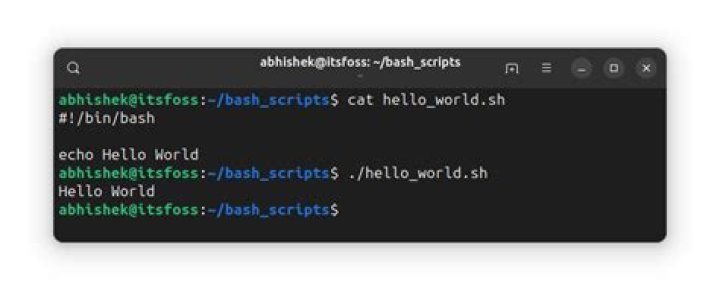
When writing a bash shell script you are expected to start the script with:
#!/bin/bashThere is a known issue - Why doesn't my Bash script recognize aliases? - that bash script doesn't recognize aliases.
One option to solve the issue is:
At the beginning of your script (after the #!/bin/bash) add:
shopt -s expand_aliasesFollowing by source of the file with the aliases:
source /etc/bash.bashrcBash aliases are usually not expanded in non interactive shells (which a script is). And really, you shouldn't rely on aliases in your scripts!
In the future you'll need the script on a different machine, and you'll forget about the aliases, and it won't work, and you'll waste time debugging the issue!.
Create your scripts to directly use the commands needed. Or create functions for complex or multi-line commands. Or better yet, create a "library" script with common used functions you need and then include that on your scripts.
That said, a simple way to call your script with all the aliases exported is to call it through an interactive bash session, via the -i flag:
$> bash -i ./tf.shEdit as per comment
A simple bash function wrapper for your python script would be:
function urldecode { PYTHON_ARG="$1" python - <<END import sys, urllib as ul print ul.unquote_plus(os.environ['PYTHON_ARG']) END
}Use 'python2' instead of 'python' in alias. It worked like a charm for me.
alias urldecode='python2 -c "import sys, urllib as ul; print ul.unquote_plus(sys.argv[1])"'

