Adobe PDF Preview Handler Error in Windows Explorer
I virtualized the installation of Adobe Acrobat Pro XI v11.0.11 together with Microsoft Office Professional Plus 2010 v14.0.7015.1000 x86, carried out on Windows 7 Enterprise v6.1.7601 x64, making use of VMware ThinApp v5.1,
I also created an entry point for Windows Explorer (%SystemRoot%\explorer.exe), which allows me to
Open .pdf, .doc, .docx, .xls, .xlsx, .ppt, .pptx and all other file formats supported by Adobe Acrobat XI and Microsoft Office 2010 with double clicks without the need to create file associations first
Get working right click menu commands such as "Convert to Adobe PDF" and "Combine files in Acrobat..."
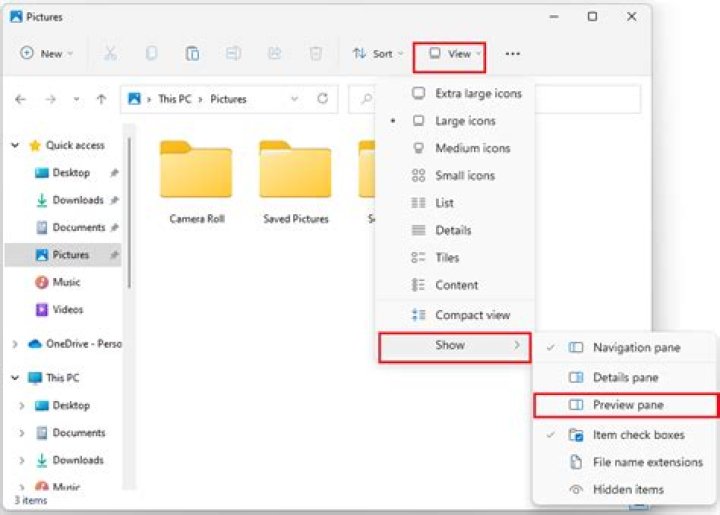
Get thumbnails and file previews in the Preview Pane together with their properties in the Details Pane in the virtualized Windows Explorer
Now, the problems which I am facing are that I am getting file previews in the preview pane inside virtualized windows explorer, for Microsoft Office file formats but not for .pdf files, even the thumbnails are not generating for every .pdf file
1 Answer
Here are two methods:
- open adobe acrobat/reader x preferences (crtl + k), go to "General" tab, click "Select Default PDF handler" button and choose Reader
- if thumbnails got fixed after that - great!
If it didn't work try this:
- go to Control Panel in windows, click "Default Programs"
- in window that opens click associate a file type (...)
- browse for .pdf and click "Change Program"
- in window that opens select Adobe acrobat/Reader, click OK, close control panel window
- now open Adobe Reader (from start menu/shortcut), press crtl+O (open file) and navigate to any folder containing PDF files
- you should see windows generating thumbnails (change the folder view if needed) in the "Open File" dialog
For each of your .pdf, you will have to generate the thumbnails by opening Adobe acrobat/reader (step 5 and 6)
original post :


